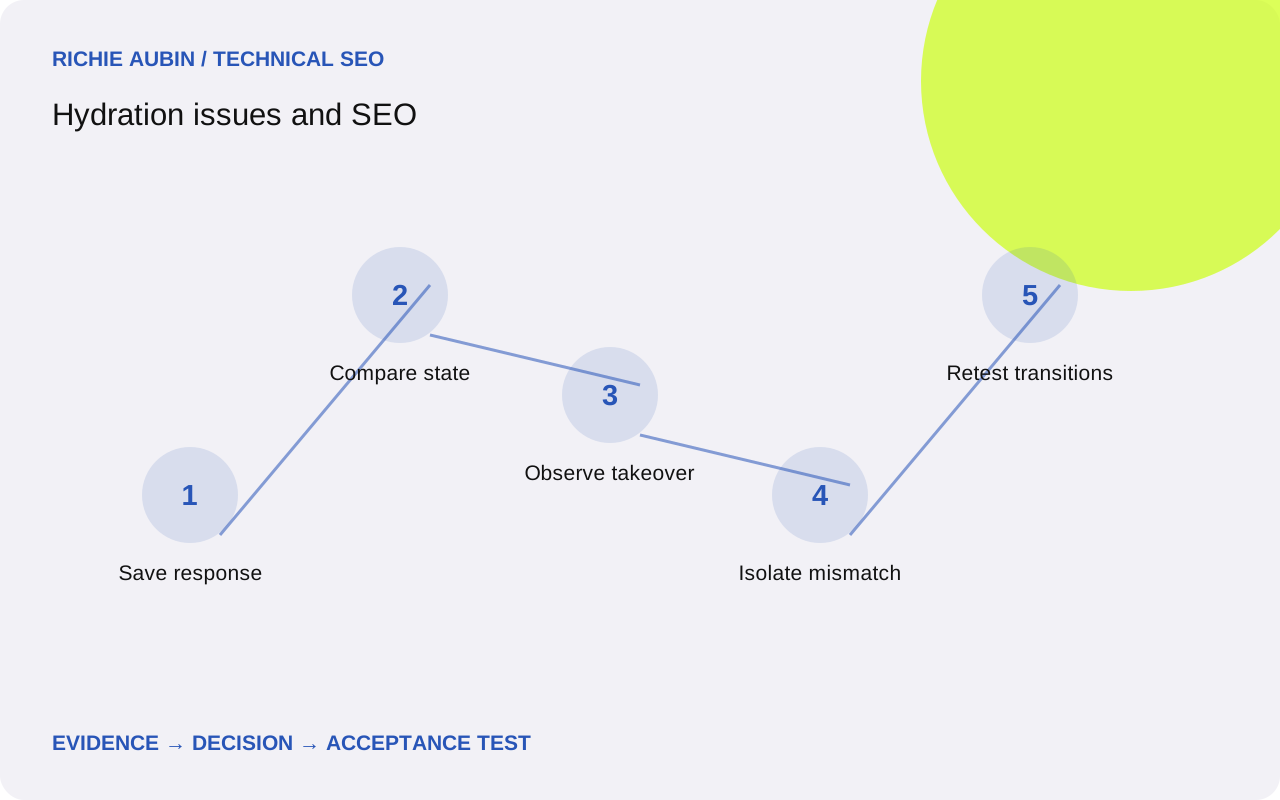
Identify the boundary where content ownership changes
Hydration attaches application behaviour to server-delivered HTML. The client expects an initial structure and state it can reconcile with that document. Frameworks differ in recovery behaviour when expectations disagree, so a warning alone cannot tell you what a visitor or renderer ultimately receives. Inspect the actual content transition.
Write down which components own the main article, navigation and metadata before and after startup. An optional calculator can initialise independently from the guide around it. If the entire page is mounted beneath one fragile boundary, an unrelated state discrepancy may have a wider effect. Map the boundary before proposing a component-level repair.
Use rendering architecture choices to understand why the content is delivered this way. The relevant SEO question is whether required public information survives the transition consistently. A server-rendered label is not proof that the final document retains the body, links or identity metadata that the server originally supplied.
Capture the response and the transition separately
The evidence checklist starts with the untouched document response, its status and the build identifier. Add the serialised initial state, final rendered HTML, screenshot, console warnings and essential request results. Record browser context, locale, timezone and cache condition where they can change the output. Redact private information from stored state.
Choose distinctive markers for the title, main body and one important link. Observe them before client startup and after the relevant component settles. Where content flickers, capture intermediate states or a mutation trace around the affected region. A final passing screenshot can hide temporary removal, and a final failing screenshot cannot show who removed the original text.
Reproduce in a fresh context and compare a working sibling. Disable extensions and distinguish development builds from production output. Development warnings can be informative, but production recovery behaviour and caching need their own verification. Save the original failure before changing timing or clearing caches so the investigation does not lose its most useful evidence.
Compare the server’s state with the browser’s first state
Inspect whether both sides use the same published record and locale. A server may render one revision while the browser immediately fetches another, or a client may initialise with an empty default before consuming embedded data. Track record identifiers and version fields rather than relying on visually similar text.
Check non-deterministic values: current time, random identifiers, viewport-dependent branches and browser-only storage. A date formatted in one timezone can differ from the browser’s initial output. That discrepancy may be harmless in one component and disruptive in another. Test the actual recovery outcome rather than assuming every mismatch removes the entire page.
Confirm that HTML structure is valid before blaming application state. Browser parsing can repair invalid nesting before the framework starts, leaving the client comparing a different tree from the one developers intended. Inspect parsed DOM alongside response markup. The aim is to locate a specific divergence, not merely to suppress the warning that reports it.
Separate hydration defects from nearby failure modes
A body disappearing after load can come from a hydration mismatch, a later data refresh, a route race or a shared loading flag. An error boundary may replace the region after an unrelated exception. Keep these competing explanations until a trace identifies the operation that changed the required content. Time coincidence is not enough to name the cause.
Compare startup with subsequent navigation. If only direct entry fails, initial state transfer deserves attention. If switching quickly between routes shows the wrong body, inspect request ordering and cancellation. If only a particular cached version fails, examine compatibility between the document and loaded assets. Each test narrows the fault more effectively than a general framework upgrade.
The missing-content diagnostic covers data and access failures that can resemble hydration problems. Keep that alternative open when the server never supplied the expected text. A response that lacks the body and a response whose body is removed need different evidence and may need different engineering owners.
Check identity and links through route transitions
Hydration can leave the visible body correct while metadata belongs to a previous record. Save title, canonical and robots directives at direct entry and after navigation between distinct pages. Verify that each value identifies the displayed content. Do not let a correct headline stand in for all page-identity checks.
Inspect generated links as well. A stale component state can display one label while retaining another destination, especially when route records share reused components. Extract the actual href values and open targets directly. The failure may be a data-binding problem rather than a missing anchor, but the user-facing result still needs correction.
Keep performance observations separate from content correctness. A page can preserve its text yet ship substantial startup work that delays interaction. Use JavaScript performance analysis for that investigation. Reducing warnings does not automatically improve responsiveness, and reducing execution time does not prove the body survives every initial state.
Illustrative example: an empty client default removes the guide
Consider an illustrative professional guide delivered with its full body in HTML. During startup the body becomes a spinner, then sometimes returns after a second request. The initial hypotheses are mismatched locale formatting, invalid HTML, an empty client default and a late request replacing the correct record. No actual website result is represented here.
The response and parsed structure are sound. The embedded state contains the guide, but the browser store starts with an empty record and immediately re-renders the article region. A mutation trace shows removal before the refresh request begins. This supports an initial-state handover defect rather than a failed server render or an inaccessible article endpoint.
The repair initialises the store from the delivered public record and treats refresh as an independent update. Verification includes a failed refresh, a revised record, direct entry and navigation to another guide. The agreed outcome is that useful published content remains available unless the application has a deliberate, justified reason to replace it with a different state.
Define acceptance around preserved meaning and correct updates
Require the expected article, heading and essential links to remain present through startup in the tested public states. Metadata must match the displayed route. Any intentional update should use the correct record and avoid clearing valid content merely because an optional request is pending. Specify the unavailable-data behaviour explicitly.
Add edge cases tied to the confirmed cause: differing locale preferences, stale documents, missing embedded state, delayed refresh and rapid route changes. Do not create a giant matrix of irrelevant combinations. The strongest tests reproduce the original failure and exercise the shared boundary that made it possible. Preserve expected content markers with the fixtures.
Use regression testing to keep the repaired contract visible in future releases. Treat warnings as supporting signals and substantive output as the release criterion. A clean console cannot establish correct content, while a known harmless warning should not indefinitely block a verified repair without a documented reason.
Avoid warning suppression and incompatible rollback states
Suppressing a warning can hide a mismatch without repairing it. Confirm whether the framework still replaces nodes, discards state or falls back to client rendering. A controlled client-only island can be appropriate for browser-specific behaviour, but moving the whole article behind it may reintroduce a content dependency the server rendering was intended to remove.
False positives include development-only diagnostics, extension-modified DOM and harmless differences in nonessential labels. Test an unmodified production context before assigning search impact. Conversely, a successful local build may miss stale production caches or regional state. Keep environment evidence attached to the conclusion and do not claim that every mismatch affects indexing.
Rollback must preserve compatibility between HTML, embedded state and bundles. Keep previous versioned assets available while cached documents remain possible. If the data format changed, reverting code alone may not restore a coherent handover. After rollback, repeat a fresh direct request and a stale-document scenario. A matching deployment label does not prove that users receive a compatible set of artefacts.
Frequently asked questions
Does every hydration warning cause an SEO problem?
No. Determine whether required content, navigation or metadata changes incorrectly. Some warnings concern minor nonessential differences, while others reveal replacement of an important region. Inspect production behaviour and preserve the before-and-after output. Severity should follow the observable consequence, not the presence of a warning alone.
Why can server-rendered text disappear after load?
The browser may initialise with different data, recover from a structural mismatch or replace the region during a later update. Trace the operation that removes the text. The server response proves that delivery happened, but it does not prove that client startup preserves the information or the correct record.
Should I disable JavaScript to test hydration?
That can establish what the server supplied, but it cannot test the takeover itself. Pair the response or no-script observation with a normal startup trace. Compare meaningful content and metadata across the boundary. A page that works only while scripts are disabled still needs investigation under ordinary public browsing conditions.
Is moving a component to client-only rendering a safe fix?
It depends on what the component supplies. Browser-specific optional controls may suit that boundary, but moving essential article content can replace one failure with a new dependency. Document the expected public output, verify it without interaction and compare the operational consequences before accepting client-only rendering as the repair.