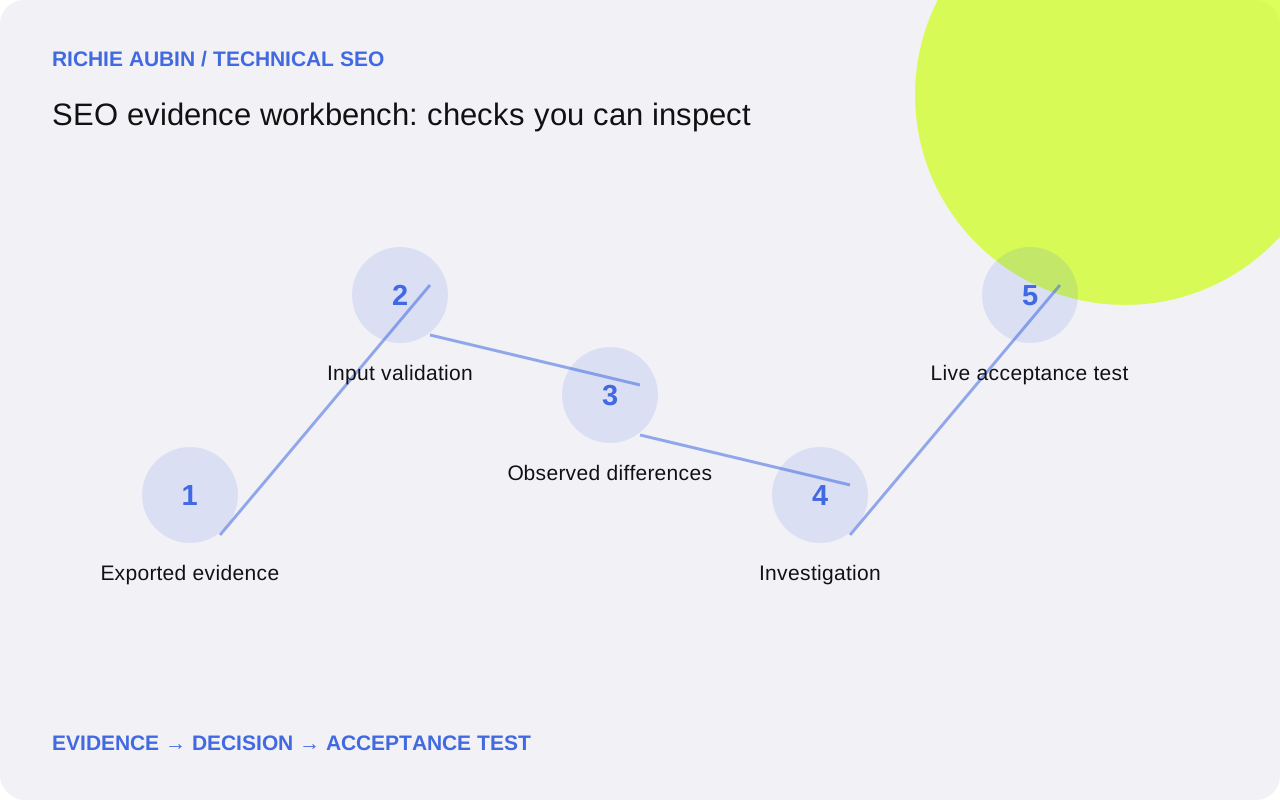
Two focused checks, with a clear boundary
The crawl comparison checks whether selected fields changed between two exports. It can identify a newly observed error response or an indexability value that differs from the baseline. It cannot establish whether either export represents the current website. The response, timestamp and crawler configuration still belong to the source data.
The redirect map checker examines the relationships in a proposed source-to-target file. It can flag duplicate source rules, self-redirects, chains and loops within that file. It does not follow a redirect over the network. A map with no detected conflicts may still be implemented incorrectly, point to an unavailable destination or omit valuable old URLs.
Those limitations are part of the output. I would rather have a narrow check that somebody can repeat than a broad “passed” label that conceals missing evidence. The technical audit methodology explains where these checks sit in the wider investigation. The release QA guide covers the live checks that should follow an implementation.
Prepare the crawl exports before comparing them
Use two comma-separated CSV exports with a header row. The comparison expects a URL column and a status column; it can also compare indexability and canonical values when both files supply them. Supported header names are shown beside the tool. Save the same set of fields in both exports so that missing information is not confused with a change in the website.
Keep the request context comparable. A rendered crawl and an HTML-only crawl may report different information for a good reason. A crawl with external links excluded should not be compared blindly with one that includes them. If authentication, user agent, crawl limits or URL inclusion rules changed, record those differences before deciding that a new row represents a regression.
The workbench matches the exported URL string after trimming surrounding whitespace. It does not silently remove query parameters, change case or merge trailing-slash variants. Those differences can identify separate requests. If you need a normalisation rule, define it deliberately and keep the original URL alongside the transformed value. The data quality guide explains why this matters.
Interpret a changed row rather than forwarding a label
Suppose an illustrative baseline contains https://example.com/services/ with status 200, while the release export contains the same URL with status 404. The comparison can identify the difference. It cannot tell you whether the route was deliberately removed, whether the crawler hit a temporary fault or whether an access restriction affected the second run.
The next step is to request the URL under a controlled condition, inspect the actual response and check the intended URL decision. If the page should remain available, the development requirement may be to restore that route. If it was intentionally replaced, the task may instead involve a relevant redirect, updated internal links and a revised sitemap entry.
Canonical differences deserve the same care. A different canonical value is a signal change, not automatic proof of an indexing loss. Inspect the target, the page purpose and the surrounding signals. The canonical tags guide and indexing diagnosis guide show how to investigate the difference without assuming the result.
Check a redirect map before it becomes a server rule
The redirect input needs two columns: Source and Target. Each row should describe one intended relationship. Keep the full original URL inventory elsewhere, including the reason for each retained, redirected or removed route. A map checker cannot tell you that a commercially important URL is missing if that URL was never included in the input.
A repeated source needs review even if both rows have the same destination. It may indicate a duplicated record or overlapping rule ownership. A repeated source with different targets is a more direct conflict. The implementation order may determine the actual behaviour, which makes the intended decision harder to maintain and test.
A chain is a route through another listed source before reaching the intended destination. A loop returns to a previously visited node. The checker reports these relationships within the file so that you can shorten unnecessary paths and remove contradictions. Read the redirect mapping guide for the decisions behind the map, and the chain and loop guide for live-response testing.
Turn a result into an evidence packet
An evidence packet should give the next person enough information to repeat the observation. Include the affected URL, the baseline value, the observed value, the collection time and the relevant configuration. Then state the intended behaviour in plain terms. “The retained service page should return its content with status 200” is more useful than “fix crawl errors”.
Add the explanation you are testing, but distinguish it from the observation. “The route changed after the deployment” may be supported by the timing. “The new routing rule caused the error” needs additional evidence from the implementation. That distinction keeps a plausible hypothesis from becoming an unsupported statement in a ticket.
Finally, write the acceptance test before the repair. State which request to make, which response or markup to expect and which neighbouring cases should continue to work. The workbench can export its findings as JSON for that record. Include the original export separately when the recipient needs to inspect the source rows. Avoid sending data that is not necessary for the investigation.
Use the example files as a controlled demonstration
The downloadable sample files use invented example.com URLs. They are designed to contain obvious differences, including an error introduced between crawl snapshots and conflicting redirect relationships. They are not a crawl of this website or a client website. Use them first to understand how the output relates to the input.
After running the samples, inspect a reported row manually. Find the same URL in both source files and compare the field values. For a redirect chain, follow the source and target relationships in the CSV. That small check is useful because it makes the tool's logic visible rather than asking you to trust an unexplained result.
The same habit should continue with real work. Before acting on a large export, review a few findings and a few apparently unchanged rows. If the parser reports a missing header or duplicated URL, resolve that input issue first. A clean-looking output created from an incorrectly interpreted file is not evidence of a clean website.
Privacy, file handling and practical limits
These tools run on this page. They read the file text you select and process it locally in your browser. They do not upload the contents or make external requests. Refreshing the page clears the working state. The findings export is a file that you choose to download; the website does not retain a copy for later retrieval.
The input size is limited to keep the browser responsive. For a very large crawl, use a scripted workflow with controlled memory use and a documented schema rather than trying to turn a browser tab into a database. The Python for SEO guide and crawl data analysis guide cover the principles behind that approach.
Do not include passwords, access tokens or private form submissions in an SEO export. Query strings can contain sensitive information even when the path looks harmless. Review the data before sharing a result with somebody else. The tool's lack of uploads does not remove the need to handle the original file and any downloaded report appropriately.
What a successful check allows you to say
After a successful comparison, you can describe the differences observed in the supplied files. After a redirect map check, you can describe the relationships detected under the checker's matching rules. Neither statement should be expanded into a claim that every live page works, every crawler sees the same response or every URL will be indexed.
To close an implementation issue, request the live examples, inspect the relevant response and repeat the acceptance test. Check the affected template or route family as well as the original example. If the repair changes a broad rule, include a small set of control URLs that should be unaffected. Retain the results with the deployment record.
Search outcomes may need a later observation window. A corrected response can be verified immediately, while recrawling and canonical selection are outside this page's control. The technical monitoring guide explains how to separate deployment checks from subsequent search observations. That separation is what makes an evidence packet useful after the immediate ticket has been closed.
Frequently asked questions
Does the workbench crawl my website?
No. It processes the CSV files you select and makes no requests to the URLs contained in those files. A live crawl, browser inspection or HTTP response check is a separate task. The distinction is shown in the results so an exported finding is not mistaken for a live-site verification.
Are my CSV files uploaded?
No. The selected files are read locally by the browser on this page. There is no upload endpoint, account connection or report storage. If you choose to download the findings, that file is saved through your browser. Refresh the page to clear the current working data.
Can a redirect map pass and still fail after launch?
Yes. A map can be internally consistent while a destination fails, an edge rule overrides the web server or the deployed configuration differs from the proposed file. Always follow the file check with live response testing, including final destinations, relevant status codes and representative user journeys.
Which crawl columns are required?
Both files need a URL column and an HTTP status column. Common crawl headers such as Address, URL, Status Code and Status are recognised. Indexability and canonical columns are optional, but a field is compared only when both files provide it. Duplicate URLs and malformed CSV rows are reported rather than silently overwritten.