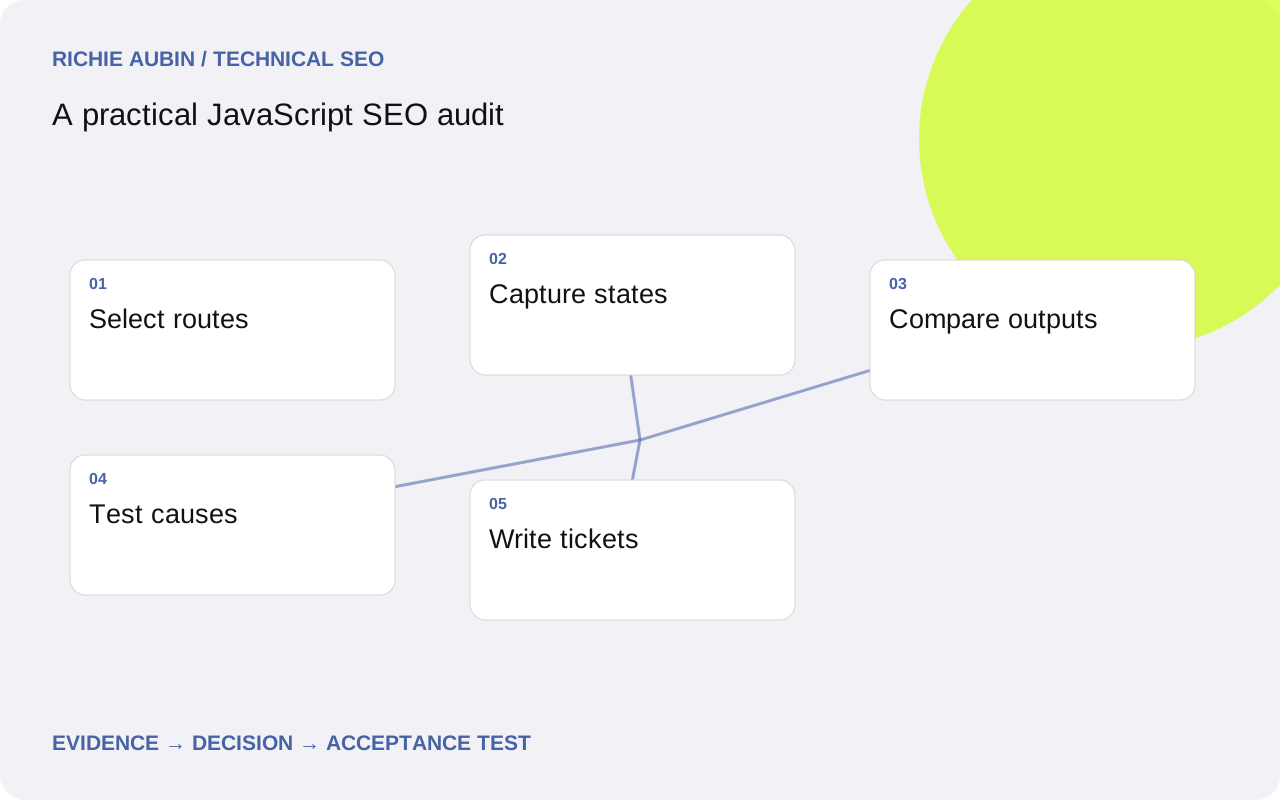
Build a sample that represents delivery differences
Inventory public templates, route patterns, locales and major data dependencies. Include newly published content, older content, empty categories, pagination and missing records. Distinguish pages reached directly from screens reached only through application navigation. A list containing only popular working URLs will miss precisely the edge cases an audit needs to expose.
Choose paired examples within each important template: a known working page and a suspected failing page. Add a stable control that is unlikely to change during the investigation. Record why each URL is in the sample and what content it should contain. Sampling is a reasoned coverage decision, not an arbitrary number of pages.
Agree boundaries before collecting large volumes of data. Private account tools and draft previews should not be judged against public indexing requirements. If the basic delivery model is unclear, consult client-side and server-side rendering to map which system is responsible for each part of a public route.
Collect paired response and browser evidence
Capture status, redirects, headers and response HTML with a normal public request. Then render the same address in a clean browser context and retain the final HTML, screenshot, console output and failed essential requests. Record the timestamp, build identifier, viewport and relevant crawler settings alongside both observations.
Use an evidence checklist for each URL: expected heading, distinctive main-body sentence, canonical target, robots directives, representative destination links and any required structured data. Keep expected values separate from observed ones. A crawler field labelled present is weak evidence unless you know whether it matched the correct article rather than a generic fallback.
Do not let browser automation turn environment failures into site findings. Run a control URL before a large batch and after unexpected widespread failures. If DNS, rate limits or test infrastructure break, label affected records inconclusive. Save partial results so a retry can target uncertain cases rather than repeating the entire crawl without explanation.
Compare meaning before comparing markup
Extract main content, important links and metadata from the two states. Ask whether each required output is absent, changed or inconsistent. Raw HTML differences include harmless framework identifiers, class names and serialised state. They can overwhelm the few changes that matter. An absent article paragraph is more significant than a changed wrapper attribute.
Inspect whether delivered content survives startup. A response that contains the guide can still finish with a loading panel or another record. Conversely, a sparse response may become a complete page after execution. These are different risk profiles and should receive different tickets. Preserve both versions rather than summarising the URL as simply JavaScript dependent.
The hydration investigation is appropriate when useful response content disappears or changes. For failures where content never arrives, use missing rendered content diagnosis. The audit should direct investigation to the observed transition instead of attaching the same recommendation to every difference.
Challenge the first explanation with targeted tests
For each important symptom, write at least two plausible causes. Missing text might arise from absent CMS data, authentication, request timing or a replacement component. Duplicate metadata might come from shared defaults or stale client navigation state. A failed browser crawl might reflect a bot defence rather than a broken page for ordinary anonymous users.
Choose the cheapest test that separates those causes. Compare a payload with the CMS record, revisit without cookies, inspect the direct response or reproduce on a sibling route. Keep the test outcome with the finding. A statement of cause without a discriminating observation leaves developers to repeat the entire investigation.
Treat indexing evidence as supporting context. If a URL is excluded, determine whether access, canonical selection or content assessment could explain it independently of rendering. The audit can establish a confirmed technical defect without claiming that it caused every reported traffic change. Keep causal confidence separate from the potential importance of the affected template.
Illustrative example: narrow a shared component failure
Consider an illustrative audit of a resource library. Several guides show their body text but no related guide links in a clean render. Other links work. The initial hypotheses are an empty recommendation payload, a component waiting for consent and a crawler snapshot taken before the request completes. These are invented diagnostic conditions, not client findings.
The saved payload contains relevant guide records. The request starts only after an analytics consent event, and accepting consent causes the component to populate. Waiting longer without consent changes nothing. This supports a dependency error: public navigation has been coupled to a tracking choice. It does not support a general complaint about rendering speed.
The ticket asks engineering to make public related-guide data independent of analytics consent while retaining the consent boundary for tracking. Verification checks the links in rejected, accepted and untouched consent states, then opens each target directly. The audit groups affected templates through their shared component and records the sampled coverage instead of inventing a site-wide page total.
Turn findings into developer acceptance criteria
Write each ticket around a reproducible entry condition, expected output, observed output and evidence. Name the affected component or dependency only where the investigation supports it. Include representative URLs, a working control and a minimal sequence to reproduce. A developer should not need to infer the requirement from an SEO severity label.
Acceptance criteria must be observable: the intended public content appears on direct entry; important destinations are anchors with usable addresses; metadata belongs to the displayed record; known missing routes behave honestly. Add the specific state that failed, such as rejected consent or a stale cached document. A screenshot alone is insufficient when the requirement concerns document markup.
Prioritise by confirmed impact, template reach and dependency risk. A broken essential body across a shared template deserves attention before a harmless warning on an optional widget. Estimates should identify uncertainty rather than turn a small sample into false precision. Use scaled rendered testing when broader coverage can materially change the release decision.
Close the audit with verification and rollback requirements
Retest the actual production fix using the original reproduction conditions. Keep before-and-after artefacts and the deployed version. Review nearby routes that share the changed dependency, including a failure case. Passing a staging test is useful but cannot establish that production caches, access rules and data match the tested environment.
Call out false positives explicitly. A harmless third-party exception, a late animation or a tool timeout may not affect essential content. Conversely, a locally working page can conceal a fresh-session defect. Explain the limits of the sample and the settings used so the next audit can distinguish a new regression from an observation-method change.
Before release, agree rollback triggers and preserve compatible assets. Reverting application code without its route configuration or content cache can create a mixed state worse than the original issue. Recheck public outputs after any reversal. The final audit handover should state what is verified, what remains uncertain and who owns monitoring, without promising rankings or indexing from the repair.
Frequently asked questions
How many URLs should a JavaScript audit include?
Use enough to cover distinct templates, data sources and entry conditions. The correct sample depends on delivery variation rather than site size alone. Include controls and edge cases, then expand when a shared component fails. Explain what the sample represents and avoid claiming coverage for routes that use different code paths.
Should all console errors become SEO tickets?
No. Trace whether an error prevents required content, metadata or navigation from appearing. Preserve unrelated errors as engineering context where useful, but do not assign them search impact without evidence. A noisy optional widget and a failed article renderer require different priorities even if both produce red console messages.
Can I audit only the rendered crawl?
You would lose evidence about where content originates and whether startup removes it. Pair response and rendered observations for representative routes. That comparison helps distinguish a delivery gap from hydration damage, stale route state or a crawler configuration issue. Scale the paired approach where it reveals a shared pattern.
What makes an audit finding ready for development?
A reproducible condition, a specific missing or incorrect output, relevant artefacts and a testable completion rule. Include competing explanations you ruled out and any unresolved uncertainty. Developers can then evaluate the proposed repair without having to reconstruct the meaning of a generic recommendation such as improve JavaScript SEO.