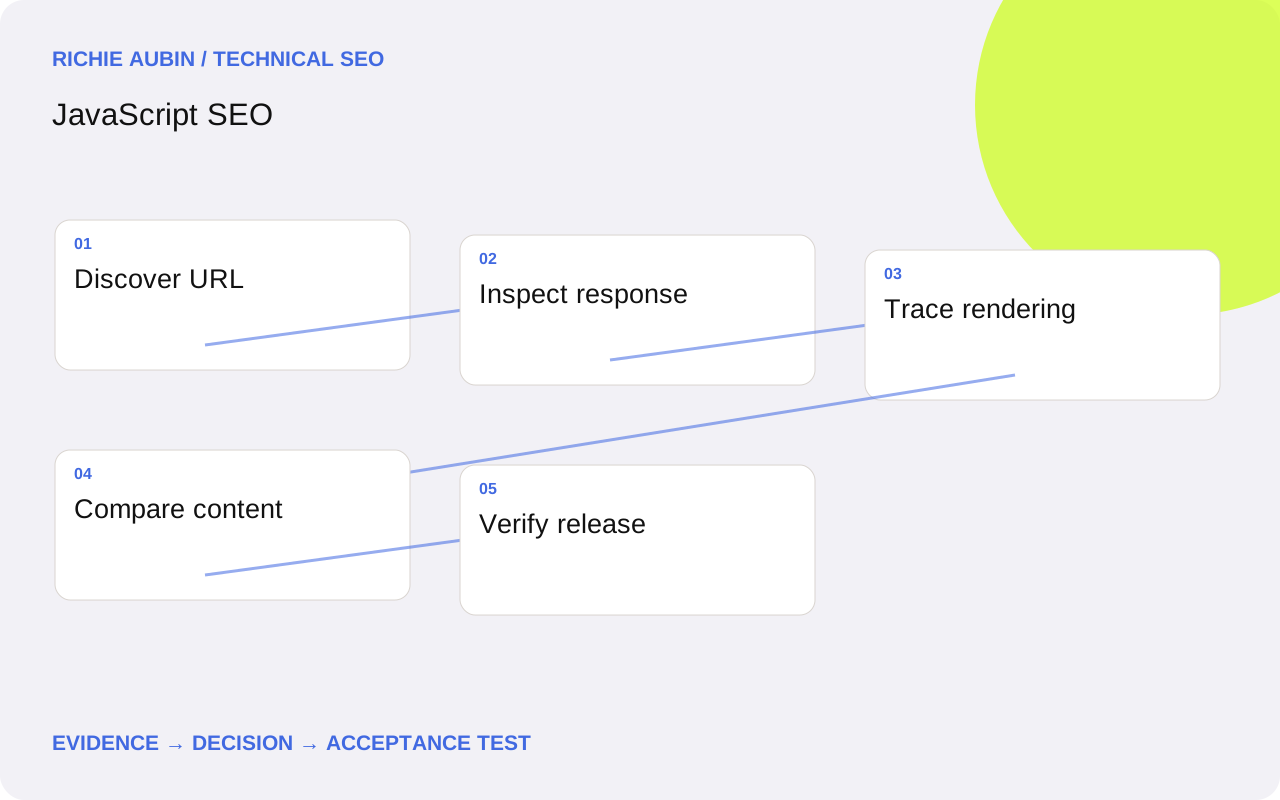
Start with a URL and a content requirement
An application can look complete in a developer’s browser while a direct visit returns an empty shell. Define the requirement in ordinary language: this address must show this heading, this explanation and these navigation links to an anonymous visitor. That statement is more useful than declaring an entire framework good or bad for SEO.
Separate public landing pages from account tools, checkout screens and temporary application states. They do not all need the same search treatment. A product guide needs a stable address and useful descriptive content; a private account dashboard should not become public simply because the rendering system can expose it.
Map requirements by template before examining every component. Record which information comes from the CMS, which arrives through an API and which depends on browser state. For the underlying processing model, use the guide to how Google renders JavaScript. This keeps diagnosis focused on a specific missing output rather than general suspicion about scripts.
Build an evidence checklist before proposing changes
For each representative URL, retain the response status, response HTML, final URL, robots directives, canonical target, rendered HTML, screenshot and timestamp. Add the deployment identifier and any failed content requests. These artefacts let another person reproduce the observation and distinguish a current defect from an old report.
Use a fresh browser context without saved cookies. Visit the address directly as well as through the application’s navigation. Compare a known working sibling with a failing page from the same template. If one succeeds, its differences may reveal a data or cache problem without requiring a change to the rendering architecture.
Include a short expected-content list: the page-specific title, a meaningful sentence from the main body, a representative link and any essential entity details. Avoid treating total HTML size as proof of completeness. A large navigation shell can hide an absent article. The JavaScript SEO audit workflow turns this evidence into a repeatable template assessment.
Separate access failures from rendering failures
Check whether the document and its essential resources can be fetched before examining component code. A blocked route, an authentication redirect or a missing bundle is an access problem. Changing an animation library cannot repair an API that rejects anonymous requests. Keep the document’s response status separate from individual resource statuses.
Next inspect the initial response. If the main content is present there but missing after scripts execute, investigate replacement or hydration. If the response contains only a loading state, trace the requests and conditions that must finish before meaningful content appears. The two paths require different fixes and different acceptance tests.
Also compare metadata with the body. A correct title is not evidence that the article rendered, and a visible article does not prove that the canonical points to the intended address. Treat identity, content and discovery as separate assertions. This approach prevents one successful check from concealing a failure elsewhere in the page lifecycle.
Choose rendering by content lifecycle and operational cost
Server rendering, static generation and browser rendering are implementation choices with different failure surfaces. Static output can suit content that changes through a publishing process. Request-time rendering may fit public pages that need fresher data. Browser rendering remains useful for interactive state, provided essential landing-page information does not depend on an avoidable fragile chain.
Evaluate the whole delivery path: publishing delay, origin capacity, cache invalidation, error handling and JavaScript execution. Moving work to a server can make a response more useful while introducing slow upstream dependencies. Moving everything to the browser can reduce server work while making content depend on extra downloads and requests.
Use client-side versus server-side rendering to compare those trade-offs. Avoid approving a migration solely because a prototype produces more HTML. Establish whether the proposed system delivers the required information consistently, handles unavailable data honestly and remains maintainable by the team responsible for releases. A smaller targeted correction may satisfy the same requirement.
Test competing explanations for incomplete pages
When content disappears, keep several hypotheses open. The CMS might have no published record. The API might return a regional variation. A stale bundle might call an obsolete endpoint. A consent condition might gate the component. A hydration mismatch might replace correct server content. Each explanation predicts a different observable result.
Choose tests that separate them. Compare the CMS record with the response payload; inspect a clean session; retrieve the same URL across cache states; capture the DOM before and after client start-up. Change one condition at a time. Repeatedly increasing a crawler timeout without observing the failing dependency produces little useful evidence.
Do not assume that an indexing report proves a rendering fault. A page may render completely and still be excluded for another reason. Equally, one successful local render does not dismiss a reproducible production failure. Where the body itself is absent, the missing rendered content diagnostic provides a narrower investigation than a complete site rebuild.
Illustrative example: a category works only after navigation
Consider an illustrative equipment catalogue. Clicking a category inside the application displays its introduction and product links. Opening the same address in a fresh session displays a spinner. The expected outcome is identical public category information on both entry paths; this example describes a diagnostic exercise, not a measured client result.
The investigator first saves the initial document and the category API response. In-app navigation supplies a category identifier from memory, but a direct request never derives that identifier from the pathname. The API is healthy when called correctly. This evidence supports a route initialisation defect rather than a general inability to execute JavaScript.
The correction makes route data available on direct entry and returns a useful category response without relying on previous navigation. Verification includes refresh, a copied deep link, browser history and an unknown category. A server-rendered introduction could reduce dependency risk, but it would not excuse broken routing. The final ticket therefore names the failing entry path and required outputs, rather than prescribing a framework rewrite.
Give developers observable acceptance criteria
Define completion through outputs that can be inspected. Representative public URLs must return the intended status, unique main content, correct identity metadata and usable destination links in a clean session. Required content must not need a click, account history or location permission. Unknown addresses need an honest missing-page response rather than a convincing empty success page.
Add tests around the transitions that previously failed. If a route lost its introduction during start-up, compare that introduction before and after hydration. If navigation leaked metadata, test two different routes in sequence. Include a failure case for an unavailable dependency so the team agrees whether to serve cached content, an error response or another controlled fallback.
Set a release gate around those assertions and preserve the evidence with the build identifier. A green browser test demonstrates the tested behaviour, not future indexing. For broader coverage, use rendered HTML testing at scale with a carefully chosen sample and explicit environment settings. Expand the sample when a shared component or data contract changes.
Recognise false positives and plan rollback
Rendering tools are observations under particular conditions. A crawler may stop too early, use a different viewport or hit a rate limit. Browser extensions and stored sessions may make a manual result unrepresentative. Confirm a failure using a second relevant observation before assigning a site-wide severity, especially when the failing pages share infrastructure with the test runner.
Prioritise losses of essential public content and navigation ahead of harmless DOM differences. Class names, timestamps and decorative component wrappers often change without altering meaning. Compare substantive text, links and directives rather than raw HTML equality. Keep performance investigation separate enough that a rendering fix does not hide a heavier client workload.
Before deployment, preserve the previous artefact and cache configuration. A rollback can restore old HTML alongside incompatible new scripts unless asset versions remain available. Agree who can revert, which signals trigger that decision and how mixed cache states will be checked afterwards. Continue monitoring the repaired behaviour; search reporting is a later outcome and cannot replace direct production verification.
Frequently asked questions
Does a JavaScript framework automatically create an SEO problem?
No. Inspect its delivered pages and deployment behaviour. The useful questions concern stable public URLs, anonymous access, meaningful content, navigation and metadata. Framework names do not tell you whether a particular route works on direct entry or whether its content survives client start-up. Test the implementation that users actually receive.
Should every public page be server rendered?
Choose by content needs and operational constraints. Delivering important landing-page information in the response can reduce dependencies, but request-time rendering can also introduce upstream latency and cache complexity. Static generation may suit editorial material. Keep browser interactions where they help, and justify the chosen boundary with observable requirements.
What should I fix first when search visibility drops?
Establish which URLs and templates changed, then verify document access, directives and main content. A visibility change alone cannot identify JavaScript as the cause. Compare failing pages with unaffected controls and preserve release dates. Repair a confirmed loss of essential content before pursuing speculative adjustments to the whole application.
Can a successful rendering test guarantee indexing?
No. It shows what that test retrieved and executed at that time. Indexing also involves access, canonical selection, content assessment and other processing. Keep the rendered artefact as evidence of a technical prerequisite and investigate indexing separately if a complete, accessible page remains absent from search.