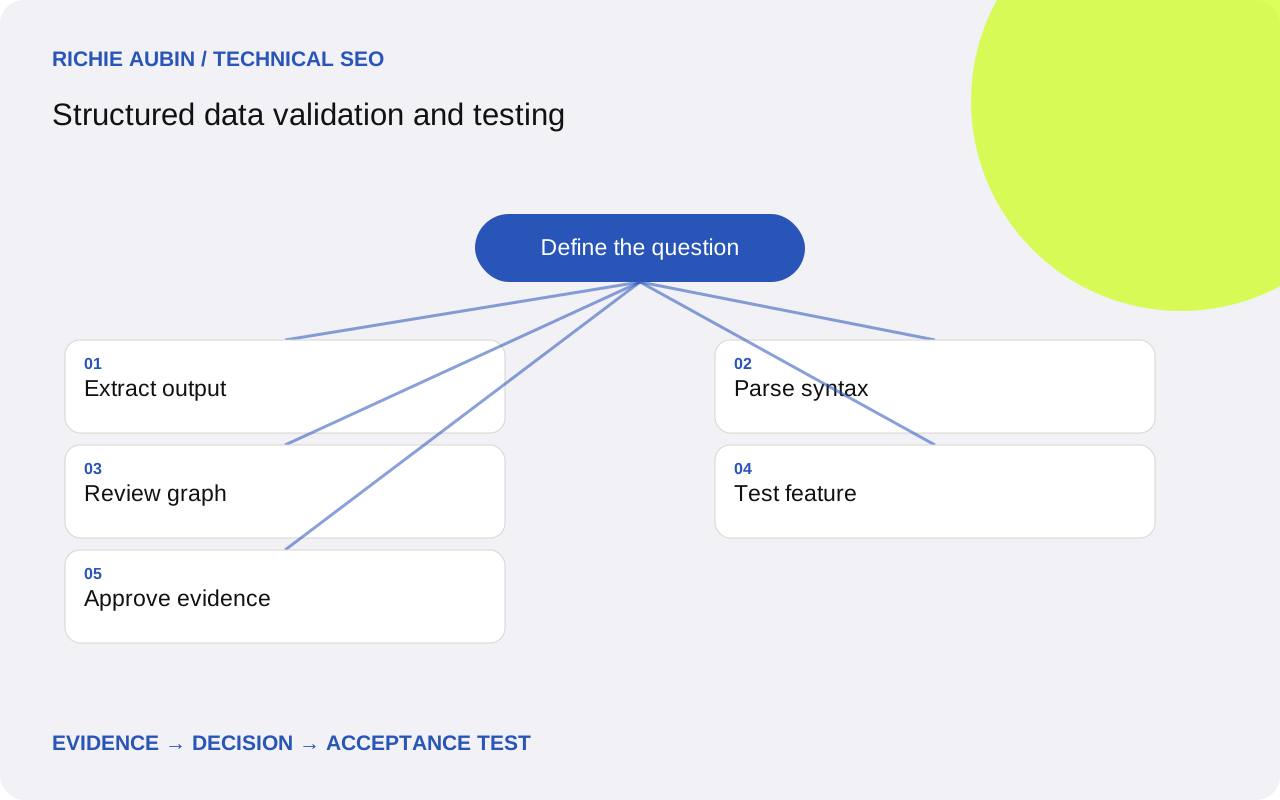
Define which question each validation layer answers
Structured data validation is a sequence of checks, not a single tool result. Parsing establishes whether the data is readable. Vocabulary review establishes whether terms and relationships make sense. Feature testing examines the requirements a particular consumer documents. Editorial review establishes whether the claims are true and supported by the page.
Write an expected result before opening a validator. Specify the entity type, its identifier, key properties and intended Google feature where applicable. Without that expectation, a tool can detect a valid breadcrumb while an intended author node is missing, and the implementation may be incorrectly marked complete.
Keep evidence and judgement separate. A test reports what it could extract under its conditions; the reviewer decides whether that matches the brief. The structured data planning guide helps establish the purpose before testing. This avoids chasing a green result for a feature that does not suit the page or is no longer supported.
Collect the exact inputs and outputs
The evidence checklist starts with a public URL, final destination, capture date, response status and release identifier. Save raw HTML and, where execution changes the document, rendered HTML. Extract every structured data block and preserve its original text. Record the test tool, URL or code mode, detected entities and error messages.
Include the relevant visible passage or interface state that supports each substantive claim. A claimed employer, rating or business address cannot be established by another markup block repeating the same value. Link the evidence to an approved content record and identify who can correct it.
Record environmental limits. Authentication, staging access controls, robots restrictions, regional responses or unavailable resources can prevent a tool from reaching the same output that an engineer sees locally. Do not remove protective staging controls solely to obtain a public test result. Use isolated code testing during development, then validate the intended public delivery path after deployment.
Start with extraction and strict syntax checks
Before interpreting a feature warning, ensure the intended block exists and parses. A malformed comma or quotation mark can prevent a whole object from being read. Extract the data from the delivered document, not just the source record that the template was meant to encode. Output filters can alter an otherwise valid payload.
Use a strict JSON parser for JSON-LD syntax. Test all blocks independently so a valid publisher block cannot conceal an unparsable article block. Preserve the character position and nearby non-sensitive text for diagnosis. If the source is valid but extraction fails, examine the HTML embedding boundary and any literal closing sequence inside a value.
The JSON-LD guide covers safe encoding and identifiers. Syntax checks do not establish that a Person has the right name or that a breadcrumb points to the right category. They are an inexpensive first gate that makes later tool output easier to interpret without confusing correctness with truth.
Review the extracted graph with Schema.org scope
Use the Schema Markup Validator to inspect Schema.org-based data beyond Google’s supported result features. Check which objects it extracted and how properties connect them. Compare this graph with the intended model: a page should not accidentally become the same node as its author because both received one identifier.
Look up unfamiliar terms and expected value types in Schema.org. Pay attention to property meaning, not just spelling. A sameAs link expresses identity, so it should not point to a service category or a page merely discussing the person. A vocabulary term existing does not make it appropriate for every entity or page.
Review multiple blocks together. Shared identifiers can intentionally connect objects, while unrelated identifiers can fragment a single intended entity. The validator cannot decide your publishing ownership model for you. Treat warnings as evidence for investigation, with a documented reason when a suggested change would distort the actual content rather than improve the representation.
Apply Google requirements only to relevant supported features
Use the Rich Results Test to examine the Google features it currently supports. Compare its detected items with the expected item rather than relying on the overall page message. A non-critical recommendation differs from a missing required property. Fix genuine blocking defects first; include recommended properties only when the source information is accurate and relevant.
For JavaScript-generated data, URL testing exercises the delivery path and resources more realistically than pasting an isolated snippet. Code mode remains useful for narrowing down generation problems. Save the chosen mode because a passing snippet and a failing public URL are not contradictory results: they test different boundaries.
Check feature availability before opening an incident. FAQ rich results were retired in May 2026, so their absence is not evidence of broken FAQ JSON-LD. Likewise, a Schema.org type without a dedicated Google treatment may be valid while producing no recognised rich-result item. A supported, valid item still has no guaranteed search appearance.
Use disagreements between tests to narrow the fault
Suppose local parsing passes but the URL test finds no expected item. Competing hypotheses include a cached old template, access restrictions, failed client execution and a type outside the Google tool’s scope. Capture the URL response first. If it lacks the block, investigate delivery rather than changing a valid vocabulary property.
If the response contains the block but the rendered version differs, identify the component that added or replaced it. If both match, inspect tool coverage and current feature documentation. A spelling correction is justified only when the extracted term is actually wrong. Do not add a second graph simply to see whether one becomes detectable.
For a discrepancy with Search Console, compare the report date and last relevant crawl with the release. Historical reporting can describe an earlier state. The schema error diagnostic provides a broader classification for persistent failures. Keep manual quality review open even when every automated check passes.
Illustrative worked example: valid snippet, wrong deployed trail
This illustrative example concerns a fictional guide library. A BreadcrumbList snippet passes syntax and feature checks, but the public URL test reports an old category name. No search traffic or client outcome is implied. The engineer initially suspects that the validator is caching its result.
The evidence comparison includes the approved data record, build output and public HTML response. Build output contains the new label; the public response still contains the old one. A fresh request to a second affected guide shows the same release marker as the previous deployment. The competing explanation of a misspelt vocabulary term is rejected because both payloads parse and use identical terms.
The release owner corrects the serving configuration and verifies the public response before retesting. Acceptance requires the intended label, position sequence and destination to match visible navigation across representative guides. The useful result is a confirmed deployment correction. Validation alone cannot establish which breadcrumb Google will show, whether the page will be indexed or how it will rank.
Write a test record that supports a release decision
A complete acceptance record names the URL, release, expected entities, parsing result, vocabulary review, feature result and factual reviewer. All intended blocks must be present, syntactically readable and consistent with their source records. Required fields for an applicable supported feature must pass, with unresolved warnings explained rather than silently ignored.
Exercise at least one record for each generator branch: complete content, absent optional fields and values containing punctuation or non-ASCII characters. Include a page that should not emit a specialised type. Negative cases catch template conditions that accidentally attach the same offer, review or profile to every page.
Record what was not tested. A code-only check leaves delivery unverified; a URL-only sample leaves untested templates uncertain. The deployment QA guide turns these limits into release gates and monitoring coverage. Keep the decision tied to evidence instead of declaring an entire website validated from one example page.
Retain baseline evidence and handle regression safely
Save representative passing payloads before changing a shared generator. If a release introduces unparsable data or false claims, restore or disable the responsible component and retest the public response. Preserve the visible article and navigation while withdrawing the faulty markup. Removing useful content is rarely necessary to correct its machine-readable representation.
Rollback can reintroduce stale names, retired addresses or incompatible field assumptions. Compare the restored version against current approved records, not only an old test screenshot. Where a cache or tag manager contributes output, recovery must account for that layer as well. A template revert alone may leave the defective block publicly available.
Validation is a time-specific observation. It cannot guarantee future rendering, search presentation, rankings, indexing or AI citations. Schedule reviews around actual content and template changes, and revisit feature documentation when tests change their coverage. A dependable process preserves enough evidence to explain both a pass and a later regression without starting the investigation again.
Frequently asked questions
Which tool should be used first?
Begin by confirming that the intended data is delivered and syntactically readable. Then use the Schema Markup Validator for broad vocabulary review and the Rich Results Test for relevant Google features. The order can be adapted during diagnosis, but each layer still needs its own recorded outcome.
Why can one validator pass while another reports no items?
The tools may cover different consumers, formats or features. They may also have received different inputs through code and URL modes. Compare the extracted payload and tool scope before editing the data. No recognised Google item does not automatically mean that every Schema.org entity is invalid.
Are non-critical warnings release blockers?
Assess the warning against the applicable guide and the available source information. A recommended field may improve completeness without being required. Do not invent a value to remove a warning. Document the decision so later reviewers can distinguish an intentional omission from an overlooked implementation defect.
Can automated testing verify factual accuracy?
It can compare fields with a trusted record, but it cannot independently prove every claim or affiliation. A human owner must approve sensitive identity and business information. Automated comparison then helps detect drift between that approved record, the visible page and the generated markup.
How soon should Search Console confirm a fix?
There is no guaranteed confirmation interval. Reports can reflect earlier crawls and have their own coverage limits. Verify the current public response and relevant live tests first, then monitor applicable reporting. Do not repeatedly change a correct implementation simply because historical status has not updated yet.