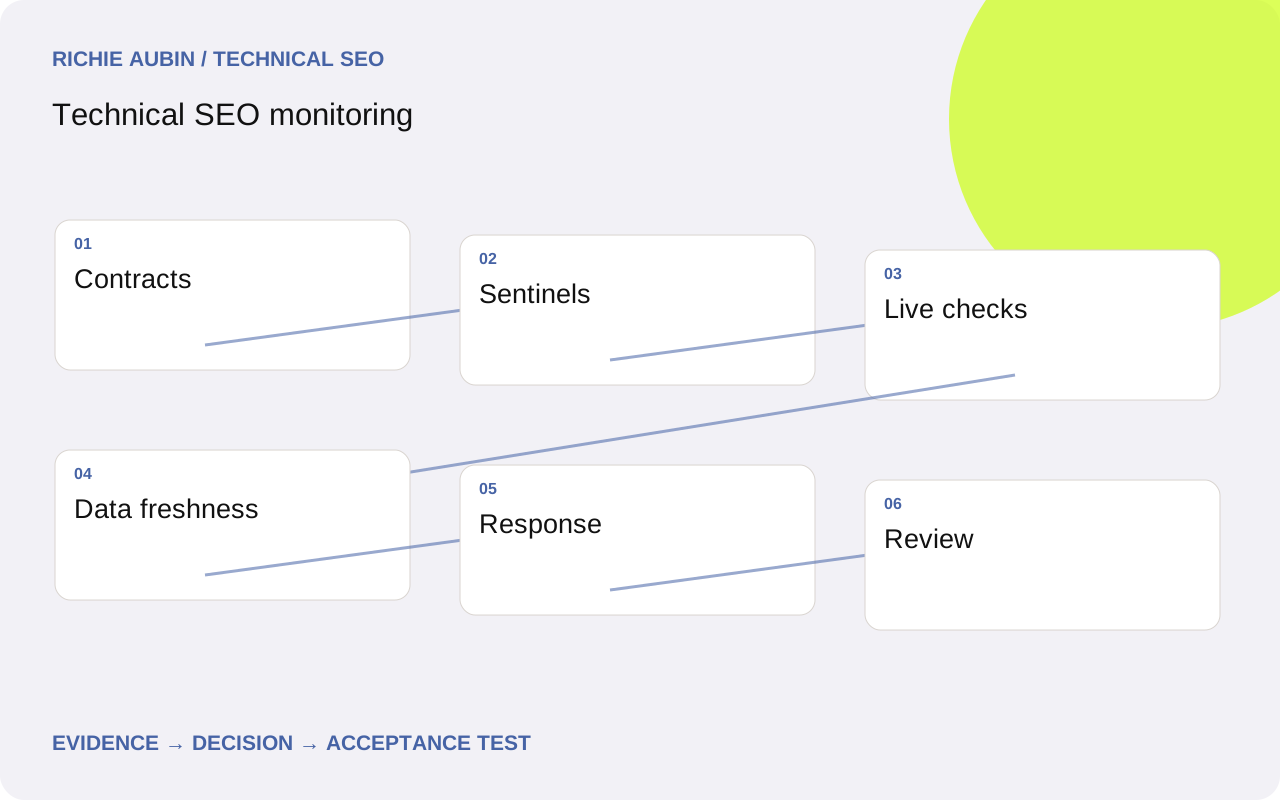
Monitor behaviours with clear owners
Start with the site’s important public journeys and technical contracts. Valid landing pages should return the expected documents, critical routes should preserve intended indexing controls, and navigation should expose the right destinations. These are more useful monitoring subjects than a single audit score, which can change because of tool rules or inventory growth.
For each contract, record an owner, sample, check frequency, failure condition and response. The owner needs authority to diagnose or route the problem, not merely receive an email. Distinguish a production incident from a low-urgency review. If an alert has no plausible action, reconsider whether it belongs in the alert channel or a periodic report.
Include intentional exceptions in the model. Private previews, retired content and unavailable records should not be tested against public landing-page expectations. Use a shared inventory with explicit state labels so monitoring follows the publishing rules. The audit checklist can supply initial contracts, but remove checks that have no continuing decision value before scheduling them indefinitely.
Separate immediate checks from slower observations
Use direct requests for current status, headers, redirect destinations and important response markers. Use browser-based checks when the contract depends on rendered content or links. These checks can detect a live defect quickly, provided their conditions resemble the relevant public journey. Record location, authentication, cookies and rendering settings where they affect results.
Use inventory comparisons for broader changes such as missing sitemap entries or unexpected growth in excluded routes. Use Search Console for recorded crawl, indexing and performance evidence, preserving its reporting dates. A later report should not overwrite the timestamp of a direct observation. Keep operational failure alerts separate from search trend reviews.
Use verified log analysis when actual crawler requests help establish consequence or scope. For performance, use field data to understand real experience and laboratory checks to investigate likely causes. Good Core Web Vitals thresholds at field p75 are LCP at or below 2.5 seconds, INP at or below 200 milliseconds and CLS at or below 0.1. Do not turn one laboratory run into a field pass or failure.
Combine fixed sentinels with rotating coverage
Keep a small fixed set of representative public URLs for reliable comparison. Include important templates, route exceptions, error states and regional variants where relevant. Fixed sentinels are useful for fast detection, but they can remain healthy while new content fails. Supplement them with recently published URLs and a rotating sample from the intended inventory.
Select samples according to failure modes. If directives are controlled by publishing state, include state transitions. If rendering depends on record completeness, include sparse and unusual records. If redirects depend on historical route families, preserve examples from each rule. A random sample alone may repeatedly miss a rare but high-consequence branch.
Record sample membership and changes. When a monitored page is intentionally retired, update its expected state rather than deleting the failure without explanation. Retain a trail showing who changed the expectation and why. This protects the monitor from becoming an increasingly narrow set of easy pages that remain green while the site’s actual inventory and routing model evolve.
Design alerts that distinguish failures from noise
Define the unit of failure and the confirmation policy. A single unexpected public noindex directive on a protected sentinel may justify immediate investigation. An isolated timeout might need a prompt retry and an independent check before escalation. Set these rules according to consequence and known service behaviour rather than applying one persistence threshold to everything.
Attach useful evidence to the alert: exact URL, expected and observed output, timestamp, request conditions, recent release identifier if known, and a link or reference to the runbook. Group related failures by shared route rule or template so an incident does not generate hundreds of duplicate notifications. Preserve examples within the group.
Competing explanations should appear in the response instructions. A widespread request failure could be a website outage, monitor network problem, expired credentials or changed security treatment. Compare a stable control, another observation route and the monitoring job’s own health. Avoid automatically changing website settings in response to an unverified alert; an observation pipeline can fail in ways that resemble the defect it was designed to detect.
Check freshness and completeness of the monitor itself
Monitor extraction success, source timestamps, row counts and schema changes. An empty Search Console response is not automatically a zero-performance day. A stopped browser job is not evidence that every page passed. Mark failed or stale checks as unknown and ensure the person reviewing the dashboard can see that state.
Keep raw outcomes distinct from interpreted incidents. Store the observed response and the rule version that assessed it. When a rule changes, retain enough history to explain why yesterday’s result would be labelled differently today. Otherwise, an alert reduction may simply reflect weaker checks rather than fewer website defects.
The evidence checklist covers job execution, sample inventory, source coverage, expected state, observation, rule version, retry result and incident disposition. Use SEO data quality controls for the broader pipeline. Test the alert route occasionally with a safe known failure so the team knows that collection, evaluation and notification still connect. A dashboard that refreshes successfully can still conceal a broken escalation path.
Illustrative example: respond to a directive alert
Illustrative example: a fictional service website monitors public regional pages and one preview route. After a release, several public sentinels return an unexpected noindex header. The monitor groups them under the shared regional template and attaches the release identifier. The preview control still returns its intended restricted output.
Plausible explanations include a leaked preview rule, stale cached headers and a monitor request condition that triggers an unusual route. The responder checks a fresh public request through the edge and compares origin output. In this invented scenario, the edge rule applies a preview header to a public path prefix, while the application response is correct.
Contain the rule under the infrastructure owner’s control and verify public and preview routes again. Do not declare search recovery when the live check passes. Record the technical repair and then observe fresh Google evidence as it becomes available. The example illustrates a useful alert because it has an owner, a bounded scope and a clear next test, without inventing an indexing deadline or commercial result.
Write a runbook with acceptance and rollback criteria
The runbook should identify the first reproduction, scope checks, responsible system and escalation route. Include what evidence to preserve before changing anything. For directive failures, capture headers and relevant HTML at edge and origin, check cache state and compare protected exceptions. Avoid generic instructions such as “check SEO” that leave the responder to start the investigation again.
Developer acceptance criteria should restore the intended public behaviour and preserve deliberate restrictions. For the illustrative rule repair, test the affected path prefix, nearby unaffected routes, preview routes and cached responses. Attach the deployed rule version and fresh results. Add a permanent regression test for the misclassified route condition rather than merely increasing alert frequency.
Rollback instructions should name the actual control: application deployment, edge rule, publishing flag or cache operation. Reverting the wrong layer wastes incident time and may introduce a new failure. Define the observed condition that warrants reversal and verify the result afterwards. Use release QA to connect the incident lesson with future deployment checks.
Review usefulness instead of accumulating checks
Review whether alerts reached the right owner and led to a decision. Distinguish genuine incidents, instrumentation faults, intended changes and unresolved cases. Repeated false positives usually indicate unclear expectations, fragile extraction or unsuitable thresholds. Fix the cause of the noise rather than training the team to ignore the channel.
Revisit coverage when templates, hosts, routing rules or publication workflows change. A fixed monitor cannot detect a contract it never represented. Remove obsolete checks with a recorded reason, and add targeted checks for confirmed incidents. Coordinate with regression testing so build-time prevention and production detection reinforce each other without duplicating expensive work unnecessarily.
Finally, keep search outcome reviews proportionate. Traffic movement can justify an investigation, but it should not automatically become a technical incident. Compare demand, query mix, data freshness and release history alongside technical signals. Monitoring reduces the time between an observable failure and a useful response; it does not certify uninterrupted indexing, stable rankings or complete visibility into every search-system decision.
Frequently asked questions
How often should technical SEO checks run?
Match the interval to change frequency, consequence and response capacity. Important live response checks may need frequent execution, while broader inventory comparisons can run less often. Search reports have their own data timing. Avoid scheduling costly checks more frequently than someone can usefully respond, and keep urgent failure detection separate from periodic trend review.
Which URLs should be monitored first?
Start with important public journeys and examples covering distinct response or template rules. Include deliberate exceptions and at least one suitable error state. Add newly published content and rotating inventory samples so fixed sentinels do not become the only coverage. Document what remains outside the sample and review it after meaningful platform changes.
Should a drop in impressions trigger an outage alert?
It can trigger review, but it does not by itself establish a live outage. Check data completeness, dates, query and device mix, demand and current technical behaviour. Escalate as a technical incident when corroborating evidence shows an actionable failure. Keep the initial observation separate from the diagnosis so the response stays proportionate.
What does a green monitoring dashboard prove?
It shows that the represented checks passed under their recorded conditions, assuming the monitoring pipeline is healthy. It does not establish that every URL, device or content state works, or that Google indexed every eligible page. Display sample coverage and data freshness alongside pass status, and treat missing results as unknown rather than healthy.