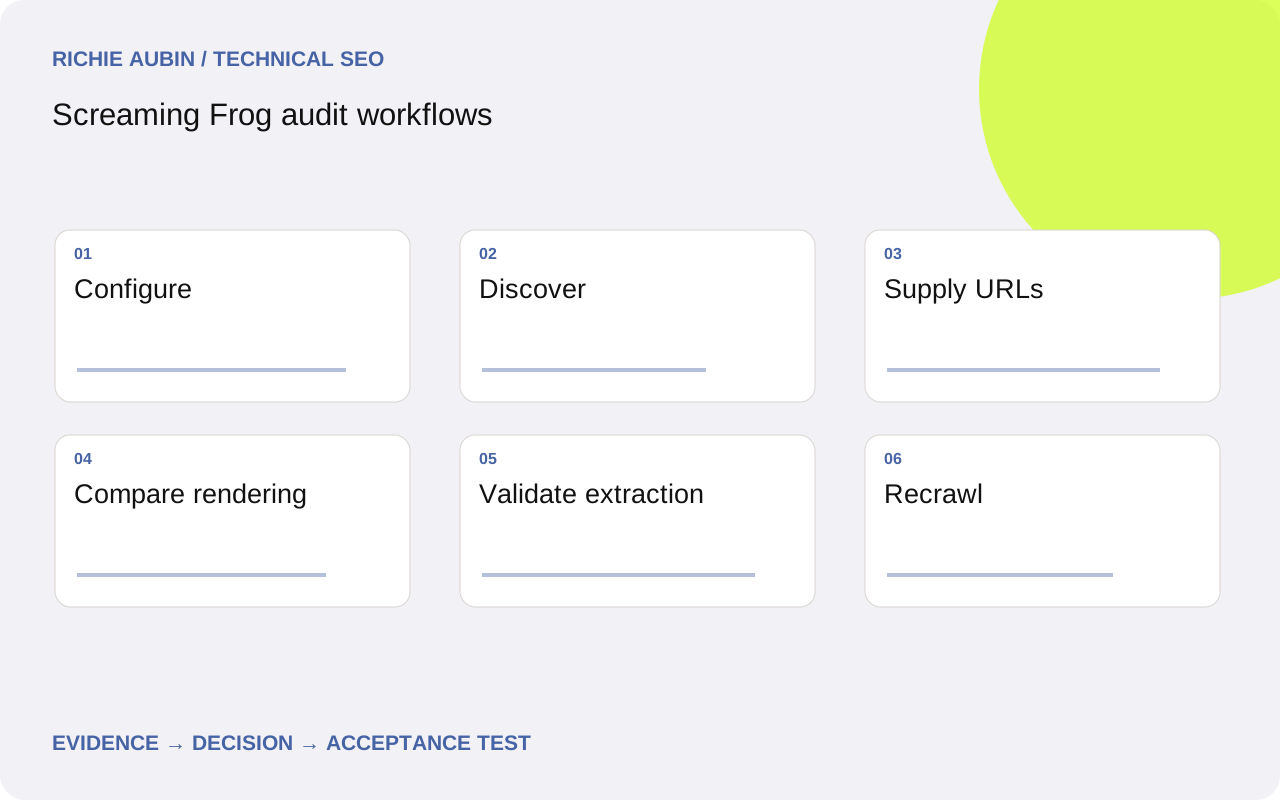
Save a crawl configuration for the question
Start with the question and expected output. A navigation crawl asks what the crawler can reach through links. A supplied-list check asks how known URLs respond. A rendered comparison asks what changes when JavaScript runs. Combining all three without preserving their differences makes later interpretation difficult, particularly when a page appears in one dataset but not another.
Record the SEO Spider version, mode, start URL, user agent, rendering settings, include and exclude rules, host boundaries and speed limits. Save the configuration with the crawl. Check current vendor documentation for the controls in your installed version rather than relying on a remembered menu location. Available features and interface details can vary.
Begin with a small pilot covering normal pages, exceptions and a known error route. Inspect responses and output before expanding. Confirm that authentication, cookies or security controls are not making the crawler observe a different journey from the intended public one. A saved pilot makes it easier to diagnose whether later surprises reflect changed configuration, changed content or a genuine website defect.
Run a discovery crawl without concealing boundaries
Use a normal public entry point for the discovery pass. Decide explicitly whether the crawl may leave the start folder, include subdomains or follow particular URL patterns. Keep unnecessary parameter spaces bounded so the crawl does not expand indefinitely. Record any decision that could exclude legitimate inventory from the result.
Inspect the early URL distribution and response mix. If the crawl rapidly fills with sorting combinations or security challenges, pause and investigate rather than waiting for a larger export. Compare source and destination examples. A high error rate can be produced by request pressure, while missing sections may reflect a folder restriction rather than broken navigation.
Once complete, compare discovered URLs with an independent current inventory. Preserve “not discovered in this configured crawl” as the initial label. Only use “orphan” after checking intended link sources and coverage limits. The internal linking audit explains how to move from a discovery gap to a useful navigation repair. Do not upload external inventories into the same evidence set without preserving their origin.
Use List mode for a known URL population
Use List mode when the input population matters more than discovery: sitemap URLs, a CMS export, a redirect mapping or a fixed release sample. Preserve the uploaded list and compare it with the output. Account for duplicate inputs, malformed URLs and exclusions so an omitted row cannot quietly become a pass.
Configure redirect and canonical following deliberately. If the question concerns an old URL’s first response, retaining only the final destination loses essential evidence. If the question concerns destination quality, capture both the starting URL and the destination chain. Inspect unexpected additions to the output and document how the selected settings allowed them.
A supplied-list run cannot establish that the URLs are internally discoverable. It proves only what was tested under its request conditions. Keep navigation evidence separate even when the same URL appears in both datasets. Follow redirect validation when checking mappings at scale, and include deliberately missing or invalid URLs so the workflow tests negative behaviour rather than only successful destinations.
Compare HTML and JavaScript output deliberately
Choose a representative list for the rendering investigation rather than immediately rendering every discovered URL. Include a stable page, a suspected failure and meaningful state variations. Run comparable checks with and without JavaScript, preserving original and rendered evidence. Confirm that both passes use compatible host, cookie and viewport conditions before interpreting differences.
Inspect primary content, crawlable anchors, titles, robots directives and canonical values. A difference is not automatically a defect: JavaScript may legitimately enhance the page. The important question is whether the expected content and signals are reliably available under the intended public conditions. A crawler using a Googlebot user-agent string does not become Google’s rendering or indexing system.
Investigate timeouts and missing extraction results before recommending architectural changes. A slow dependency, a restrictive selector or a consent path can create the same empty field. Use rendered HTML testing for deeper sampling and failure analysis. Keep screenshots as supporting evidence; retain document text and link output when those are the objects being tested.
Extract site-specific facts and validate selectors
Custom extraction is useful when the audit question concerns something the standard columns do not capture, such as a product identifier, a publication state marker or a specific content block. Define the expected field and its meaning before creating the selector. Prefer stable semantic attributes where the site provides them.
Test the extraction against pages with present, absent and unusual values. Check a long title, a missing record, a translated template and an error response if those states exist. Compare the extracted value with the original or rendered document, depending on the selected workflow. A selector that matches the wrong repeated element can produce plausible but incorrect output.
Keep raw observations separate from derived labels. An empty description field should initially mean “the selected extraction returned no value”, not “Google cannot see the description”. The evidence checklist includes the selector, rendering mode, example HTML, expected field, output and known exceptions. If a site release changes the markup, update the extraction test before treating an entire newly empty column as a website-wide content incident.
Illustrative example: investigate a missing product group
Illustrative example: a fictional catalogue crawl discovers categories but no products in one range. Competing hypotheses are missing category links, a configured exclusion and product links introduced during rendering. First inspect the saved settings and a known category response. Do not change several settings at once, because the next crawl would then conceal which condition mattered.
In this illustrative scenario, the product anchors exist only in the rendered document. A bounded JavaScript pass discovers them, and a List-mode check confirms that known product URLs return the expected documents. That establishes a difference between discovery modes. It does not show that Google failed to render the category or that products are absent from the index.
The next decision depends on corroborating evidence: inspect representative Google records, examine the reliability of the content dependency and review whether public navigation works on direct entry. If a dependency intermittently fails, scope the repair to that mechanism. If output is stable and Google evidence is healthy, document the crawler limitation instead of creating an unnecessary rewrite ticket.
Compare crawls only after aligning their meaning
Before comparing two crawls, align their configuration, input population and relevant environment. A change in exclusions, rendering mode or authentication can create a dramatic difference without a release defect. Retain both configurations and note intentional differences. The vendor’s comparison workflow helps identify changed output, but interpretation still depends on comparable inputs.
Compare behaviours that matter: response class, redirect target, indexing directive, canonical destination, main content and internal links. Review added and missing URLs against the publishing inventory. A newly deleted page may be intended; a missing template group after a navigation change may not be. Use stable URL identifiers where route changes make direct comparisons ambiguous.
Acceptance criteria for a crawler-supported fix should name the exact expected results on the supplied sample, including protected exceptions. For example, published products return their intended content and directives, retired products follow their approved route policy, and invalid identifiers produce proper errors. Attach the changed output and manual spot checks. A cleaner Issues panel alone is not sufficient proof that the repair meets the site’s requirements.
Control false positives and rollback risk
Treat the crawl as an active workload. Excessive speed can create throttling, increase origin load and turn transient conditions into an apparent site-wide incident. Coordinate large rendered runs with infrastructure owners and stop if the pilot indicates harm. Repeat suspicious responses under lower pressure before deciding that they represent ordinary public behaviour.
Preserve exports, configuration and representative raw evidence before rerunning. A rerun may remove the conditions that explain an intermittent failure. When a repair changes shared routing or rendering, define rollback controls and test unaffected examples. Reverting code may not restore edge rules or purge stale cached responses; capture the infrastructure actions separately.
Use the final output as evidence for a scoped finding, not an automatic implementation queue. Record tool limitations, incomplete inventories and untested states. Connect repeatable critical checks to regression testing so later releases can be checked against intended behaviour. Keep a human review step for unexplained changes instead of automatically rewriting controls to match crawler preferences.
Frequently asked questions
Can Screaming Frog prove whether Google indexed a page?
No. It can inspect responses, content and configured integrations, but its own crawl does not establish Google’s index state. Use relevant Search Console evidence for Google’s recorded version, preserving the observation date. A locally indexable page and an indexed page are different claims, and neither guarantees rankings.
Why does a URL appear in a list crawl but not a discovery crawl?
The list supplied the URL directly, while discovery depends on reachable links and crawl settings. Check path restrictions, exclusions, robots handling, rendering and the intended source pages. Keep the two findings separate: a successful list request can coexist with a genuine discovery gap or merely a restricted discovery configuration.
Should every audit use JavaScript rendering?
Use it when the question requires rendered evidence or a pilot shows meaningful differences. Rendering every URL can add substantial workload without resolving the central question. Begin with representative templates and state variations, then expand if failures vary. Preserve original-response evidence so JavaScript differences do not obscure server-side routing or directive problems.
How should crawler-generated failures be handled?
Lower the request rate, inspect security and availability evidence and retest a small sample. Distinguish the crawler’s treatment from normal public requests without assuming either is harmless. Record the conditions that triggered the failure. If the audit workload caused it, correct the workflow; if ordinary requests also fail, investigate the website mechanism.