Reproduce the movement across the full visit
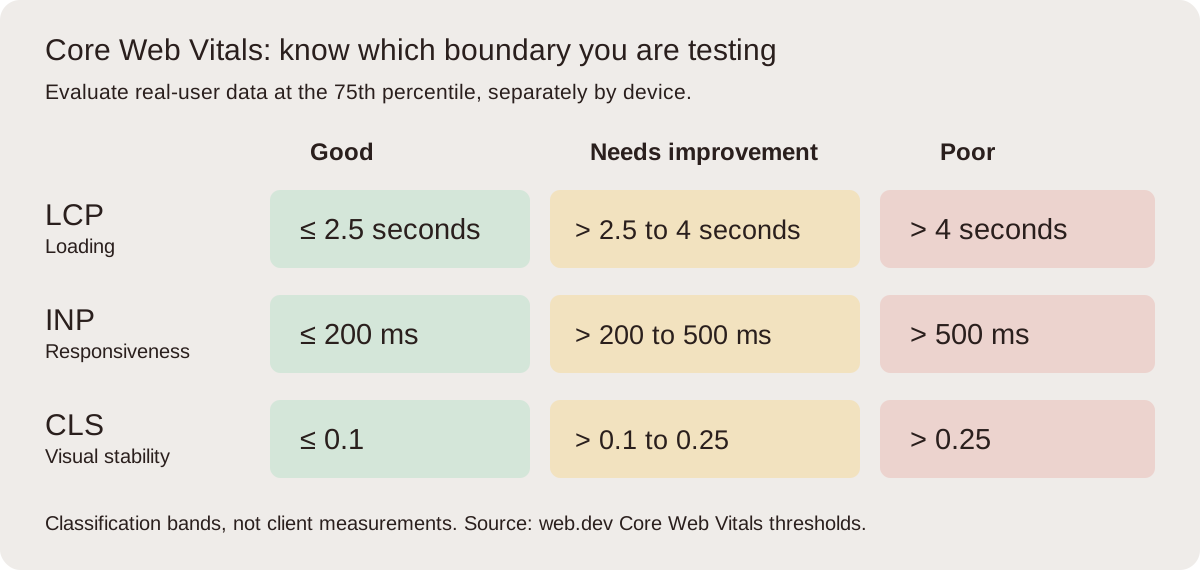
Cumulative Layout Shift measures unexpected visual instability. A good field CLS is at or below 0.1 at the 75th percentile. The metric uses a session-window approach, so it is not simply every movement added across an unlimited visit. For diagnosis, however, follow the whole relevant journey because the troublesome window may occur well after the initial load.
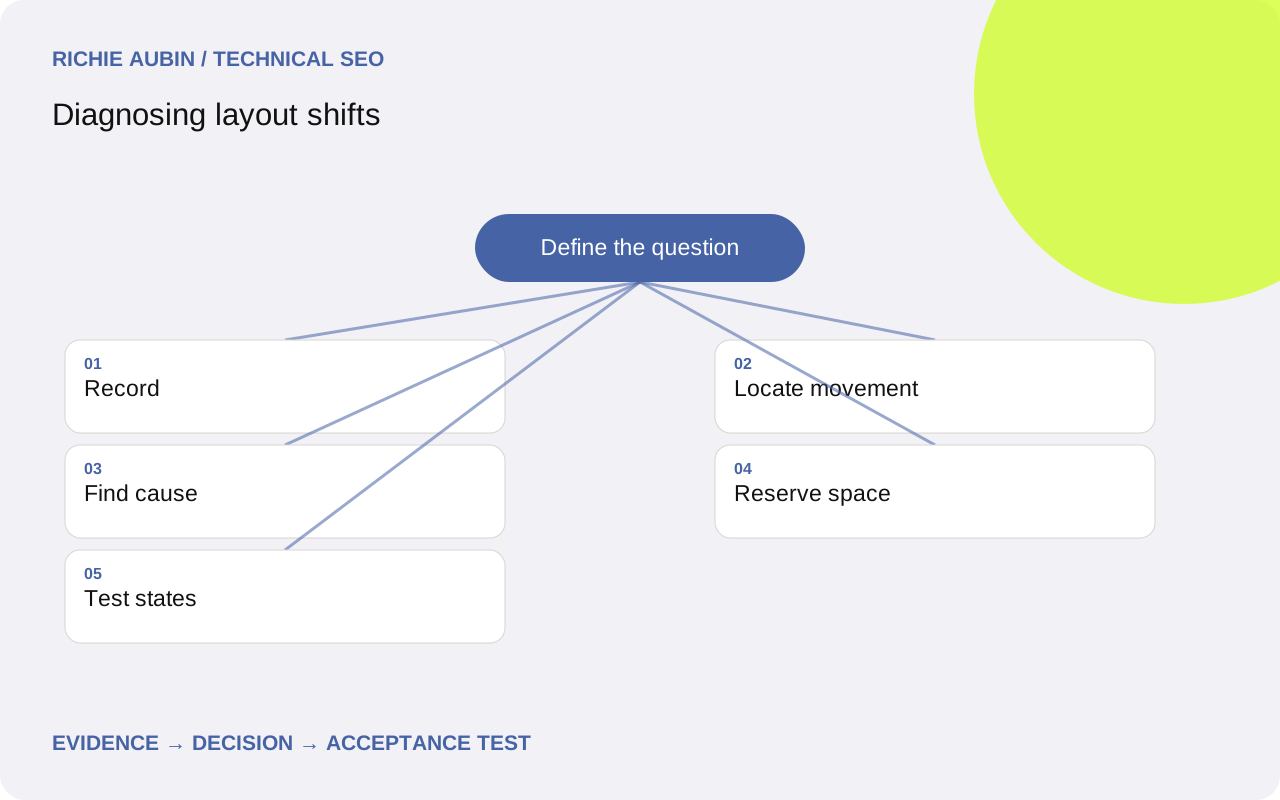
Record loading, scrolling, consent choices, expanding sections and waiting for asynchronous content. Use the device and viewport associated with the complaint. Save a performance recording with screenshots and layout-shift events, noting when the movement occurs and what the visitor was doing. A page that appears stable on a warm desktop load can still move on a cold mobile visit. The performance audit methodology helps define representative states. Avoid making conclusions from a screenshot of the final layout: it shows where content ended, not how it got there or which control someone nearly pressed.
Distinguish a shifted element from the cause
A trace may highlight a paragraph, button or product card that moved. That element can be the victim of an expanding image, advert or recommendation block above it. Inspect the timeline immediately before the shift and compare component dimensions across screenshots. Follow the first unexpected geometry change rather than adding positioning rules to every highlighted child.
Write competing hypotheses. Did an image have no reserved ratio? Did an asynchronous module insert itself above existing content? Did a font change text wrapping? Did a breakpoint switch layout after script execution? Test the likely cause in isolation. Temporarily reserving space for the suspected module can be more informative than hiding every moving element. The evidence checklist should include shift timing, affected nodes, the preceding mutation, viewport, content variant, font status and interaction state. Preserve the sequence in the ticket. A developer who sees only a highlighted paragraph may reasonably fix the wrong component unless you explain the upstream relationship.
Give images and embeds a dependable footprint
Images should occupy sensible space before their content arrives. Intrinsic width and height attributes help establish an aspect ratio, while responsive CSS determines the displayed size. Check that the declared ratio matches the selected asset and its intended crop. A mobile art-directed image can have a different ratio from its desktop counterpart, so a single assumption may not cover both.
Embeds need similar planning. Reserve a responsive container for video or another known-ratio component. For variable-height content, agree a realistic placeholder or insertion location with the product owner. Do not conceal overflow merely to stop movement; that can hide controls or meaningful text. The image performance guide connects reserved dimensions with loading priorities and resource selection. Test failed and slow loads as well as successful ones. A broken image fallback or delayed embed notice can have different dimensions and reintroduce movement after the primary case appears fixed. Include narrow screens and increased text size in review.
Handle advertising, consent and personalisation deliberately
Variable modules need an explicit space policy rather than a hope that they load quickly. Decide what happens when an advertising slot is filled, empty or taller than expected. Collapsing a reserved area after people have begun reading can create movement just as inserting an unreserved slot can. The best choice depends on placement and the commercial constraints, but it must be tested as a state transition.
Consent and personalisation introduce alternative layouts. Compare first visits with returning visits and accepted choices with declined choices. A recommendation module might appear only after a decision or customer lookup. Prefer inserting later content where it does not displace the current reading position, or reserve an appropriate footprint in advance. Avoid a universal large blank block that makes every page awkward just to cover an unlikely state. Record the chosen compromise and its limitations. If the component is controlled by a third party, capture its response behaviour and contractual size options before promising a technical fix your team cannot implement.
Investigate fonts and delayed style changes
Font swaps can alter glyph widths, line breaks and block heights. Test the actual heading and body font combination with long titles and narrow screens. Compare fallback and final rendering, then consider a closer fallback, adjusted font metrics or a loading policy that suits the content. Do not assume that preloading every font is the answer; competing requests and unused variants can create other performance costs.
Delayed styles can produce similar symptoms. Inspect whether component CSS arrives only after rendering, whether scripts add layout classes late, or whether hydration changes the initial structure. The hydration guide is relevant when server and client states disagree. Keep font and style experiments separate so the cause remains clear. Check multilingual text and user font preferences where those are supported. A solution calibrated to one short English title can fail when real content wraps differently. The acceptance condition should describe stable content behaviour across representative variants, not a single screenshot matching a design file.
Illustrative example: the paragraph is innocent
Illustrative example: a long article shows a shift near its introduction after a related-content module finishes loading. The trace highlights the first paragraph and a call-to-action below it. Initial suspicion falls on the paragraph font, but screenshots show the module above it changing from no height to several cards. The font has already loaded before the movement.
Test a placeholder matching the module layout at each breakpoint, while keeping the same text and font requests. Verify that slow responses, empty responses and unusually long card titles remain usable. If an empty response collapses the placeholder after reading starts, compare retaining the footprint with placing the module later in the article. The product decision is part of the fix. Record shift events and user-visible spacing for each state. This illustrative example does not claim a measured CLS reduction; it shows why tracing the first geometry change avoids treating displaced content as the cause and why empty states need separate acceptance checks.
Specify acceptance for every relevant state
A stability ticket needs the affected component, the initial and final dimensions, the trigger and the states to test. Require declared media ratios or a documented variable-slot policy, stable content order and no clipped text or hidden controls. Include font loading, slow media, missing media, accepted and declined consent, and responsive breakpoints where they affect the component.
Record repeated traces through the original journey and confirm the targeted shift disappears or is reduced as intended. Then inspect other stages of the visit to ensure the fix has not simply moved the instability elsewhere. Check keyboard focus, zoom and reading order. A stable fixed-height box that hides a form error is not an acceptable result. Link the release to performance monitoring so later content changes can be detected. Field review should retain the same device and page grouping, with release annotations. Threshold attainment is useful evidence, but functional behaviour and the causal trace remain necessary to judge the implementation.
Know exclusions, blind spots and rollback risks
Not every visible movement contributes equally to CLS. Recent qualifying user input can exclude certain shifts, while scrolling itself does not provide a blanket exemption for content that moves afterwards. Browser instrumentation also has limits, including differences in what page-level scripts can attribute inside embedded frames. Do not infer that an unreported movement is harmless or that your telemetry necessarily matches every external report.
A rollback plan should cover incorrect ratios, excessive blank space, clipped translated text and changing advertising states. Retain the earlier component configuration and identify how caches affect its replacement. Reverse a fix if it makes content inaccessible, obscures controls or changes the reading order incorrectly, even if its measured CLS looks cleaner. When reports disagree, compare journeys and measurement scope before rewriting the layout again. The field and lab guide explains that comparison. Finish with a documented space policy and representative state coverage, rather than claiming every future piece of content can never move.
Frequently asked questions
Why does the trace highlight text when an image caused the shift?
Attribution commonly identifies elements displaced by movement. An image above the text can expand and push it down without the paragraph itself changing. Inspect the preceding size change and screenshots. Fix the upstream space contract instead of applying arbitrary positioning to every element highlighted in the trace.
Can CLS happen after loading finishes?
Yes. Advertising, recommendations, delayed fonts and content inserted during scrolling can cause later movement. A short loading test may miss those states. Record the relevant journey for long enough to reproduce the complaint and include interaction, consent and asynchronous responses in the test plan.
Is a fixed height always the safest solution?
No. Fixed heights can clip text, form messages or translated content. Use a known ratio for suitable media and a deliberate policy for variable modules. Test zoom, narrow screens and long content. Stable geometry matters, but content accessibility and useful empty states remain acceptance requirements.
Should empty advert slots collapse immediately?
That is a layout policy decision with user and commercial consequences. Collapsing a slot can move content after reading has started, while retaining it leaves blank space. Test both states in the real placement and choose a predictable policy. Do not assume a faster empty response removes the need to define the behaviour.