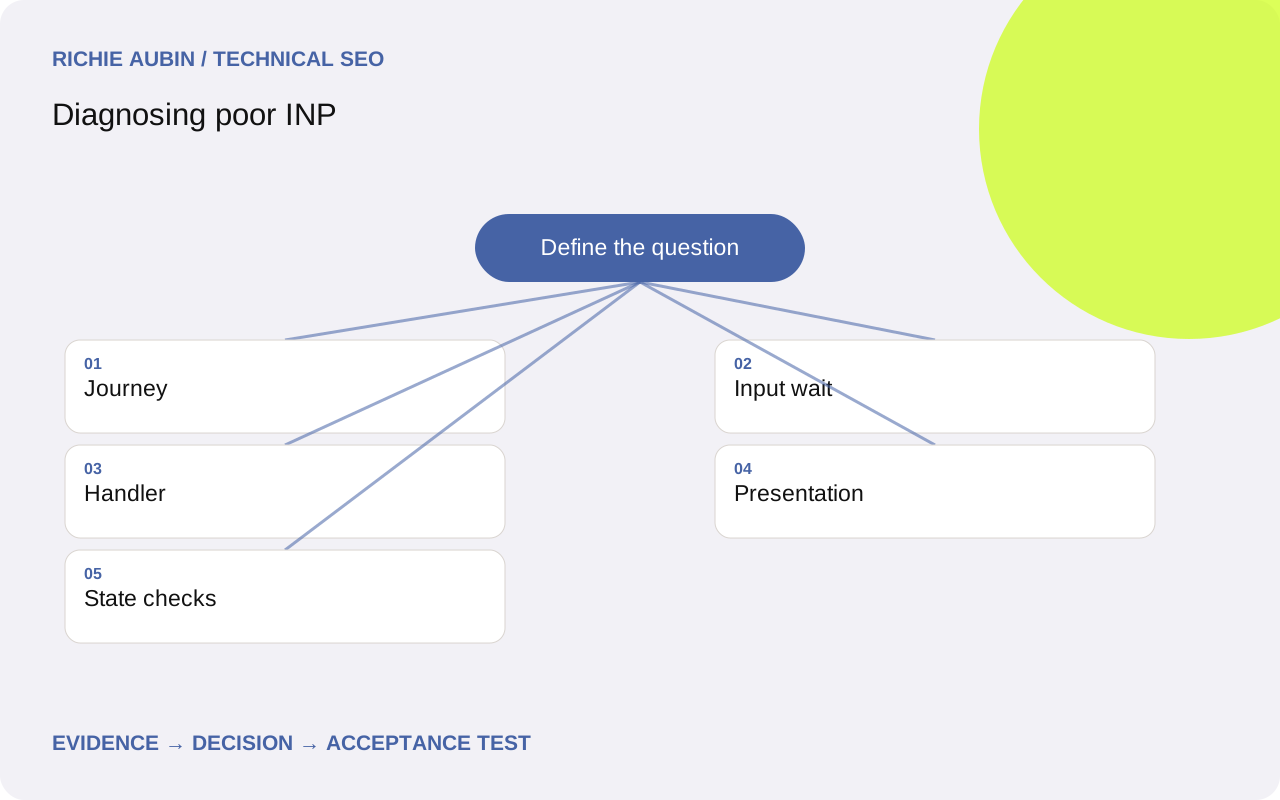
Find the slow interaction rather than a slow page load
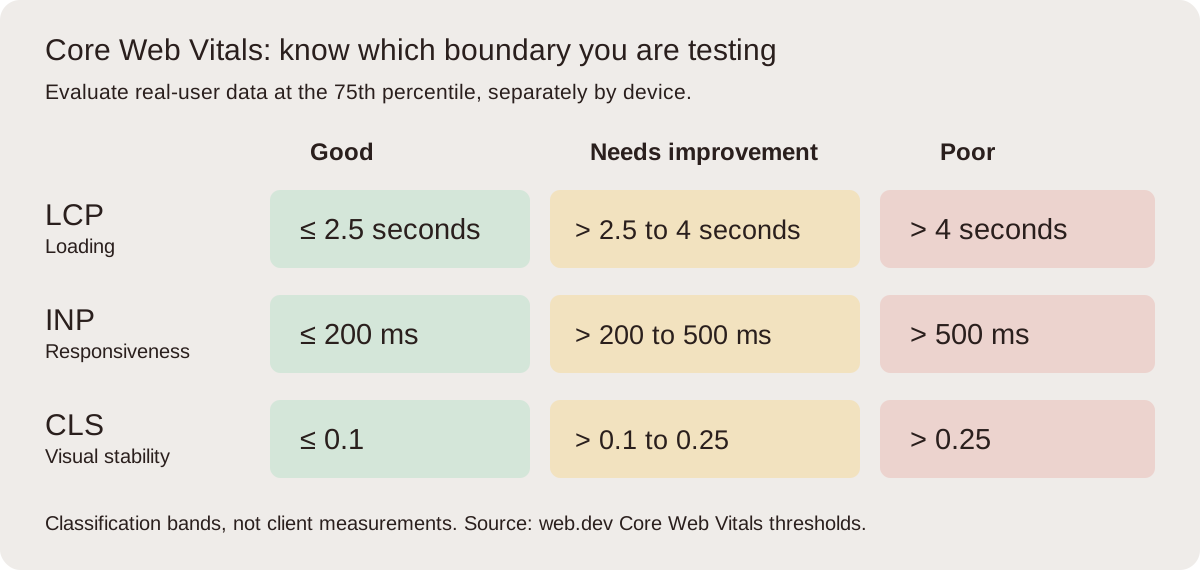
Interaction to Next Paint describes responsiveness across qualifying interactions during a page visit. A good field INP is at or below 200 milliseconds at the 75th percentile. It is not a measurement of how quickly all server-side consequences finish. An interface can acknowledge an action promptly while continuing a longer task, provided feedback is honest and the task remains usable.
Start with field evidence describing the affected route, device group and interaction where attribution is available. Reproduce menus, filters, variation selectors, forms and dialogs using realistic data. A loading-only test cannot cover these behaviours. Keep the session alive long enough to encounter background jobs and later interactions. The audit workflow helps select representative journeys. Record the exact control and page state, since a filter with ten items and one with hundreds may have very different costs. Preserve unsuccessful reproduction attempts too; they can reveal the conditions required to expose the fault.
Separate input waiting, processing and presentation
Record a browser performance trace around the action. First examine input delay: what was occupying the main thread before the handler could start? Next inspect event processing: what synchronous work did the handler and its dependencies perform? Finally inspect presentation delay: what style, layout, paint or other work stood between processing and the next frame?
This breakdown creates competing hypotheses. A third-party initialisation task can delay an otherwise cheap button handler. A local calculation can occupy the handler itself. A broad DOM update can make rendering expensive after the handler has returned. Each needs a different experiment. Do not assume that a short handler proves the component is fast, or that a large script file proves it caused the interaction. The JavaScript performance guide covers execution dependencies in more depth. Save the relevant call stacks and rendering events, then annotate the trace with the causal sequence so another developer can follow it without guessing which spike matters.
Reproduce device and session conditions
A powerful development machine can hide expensive computation. Test a representative physical device where possible, and use consistent CPU throttling for controlled comparisons when it is not. Keep the same item count, account state, consent choice and third-party configuration. Note whether the interaction occurs during loading, after idle time or after a previous action has started additional work.
Repeat the action with enough spacing to distinguish an expensive first use from a persistent problem. Then test an overlapping action, such as closing a panel while filtering continues. Make sure browser extensions and unrelated applications are not creating the delay. If field evidence differs from controlled tests, compare the population and journey rather than dismissing either source. The field and lab comparison explains those boundaries. A reproducible stress case is valuable, but label its conditions accurately. It should not be presented as the experience of every visitor unless the evidence supports that conclusion.
Remove unnecessary work before moving it
Ask why the interaction needs each piece of work. A filter may recalculate unchanged facets, rebuild invisible cards or serialise a large object for analytics before acknowledging the selection. Remove redundant operations and narrow updates before adding scheduling complexity. Smaller necessary work is easier to reason about than a larger job spread across many callbacks.
When long work remains, break it into meaningful units that allow the browser to respond between tasks. Pure computation may suit a worker, but DOM access must remain on the main thread and message transfer has a cost. Deferring code can also move it directly into the first interaction, creating a new delay. Do not treat asynchronous syntax as proof that expensive processing has left the main thread. Compare the resulting trace. Preserve ordering, cancellation and stale-result handling when work becomes interruptible. The interface should never apply an old filter result after someone has already chosen a different option, even if the intermediate animation looks smoother.
Collect evidence for rendering and third-party hypotheses
For rendering, inspect whether the action updates an unnecessarily large DOM subtree or repeatedly alternates geometry reads and style writes. Compare layout and paint events with the actual visible change. Test a narrower update or a smaller representative dataset to see whether rendering cost follows the affected elements. Avoid deleting useful content merely to achieve a cleaner trace.
For third parties, capture the blocking task and initiator, then test the same interaction with that dependency disabled in a controlled environment. The evidence checklist includes event target, session timing, input delay, processing duration, presentation work, call stacks, data volume, device and release. Also capture console errors and focus behaviour. An absent delay in the disabled test supports further investigation, but removing several vendors at once cannot identify which one mattered. Changes to consent and tracking need their own functional checks. Keep diagnostic experiments separate from a production decision to remove a service, and document what the experiment actually establishes.
Illustrative example: a filter that rebuilds too much
Illustrative example: a category filter gives no visible feedback while the product grid is reconstructed. The trace shows little initial waiting, modest handler work and substantial layout after a full grid replacement. A competing explanation is slow network retrieval, but the delay also occurs with cached results. That makes rendering scope the next useful experiment.
Update the selected state immediately, retain unchanged cards and apply only the required visibility changes. Keep the number of products and filter logic constant. Record the next paint, result count, keyboard focus and correctness of the final list. Then change the filter twice quickly to test stale responses and cancellation. If the first feedback becomes fast while the page remains unusable for a long period, continue investigating the remaining work rather than treating the metric alone as success. This is an illustrative implementation choice, not a report of measured gains. A real deployment needs repeated traces and a field comparison before its outcome can be stated.
Define acceptance around a usable interaction
Specify the exact action, data volume and device conditions in the ticket. Name the work to remove, reduce or reschedule, and state how the trace should change. Include immediate selected or pending feedback, preserved focus, correct final results and protection against stale asynchronous responses. For forms, test validation and duplicate submission behaviour as well as the first visual response.
Use repeated comparisons with matched conditions. Review long tasks and rendering alongside the measured interaction, then run the rest of the journey to catch costs shifted elsewhere. Loading should not deteriorate because every possible control is now initialised eagerly. Stability should not deteriorate because feedback inserts unreserved content. Connect the release to performance regression monitoring with interaction-aware synthetic tests and field cohorts where available. Set realistic local budgets from baseline observations and product requirements. A useful acceptance criterion is observable and repeatable, rather than a promise that every future visitor will have an identical response time.
Account for measurement gaps and reversal risk
Field INP may be absent where there are too few qualifying observations; absence is not zero latency. Total Blocking Time from a loading audit can highlight main-thread pressure but does not substitute for a field INP measurement. A fast first click does not cover a later modal or a long-lived application route. Also consider that instrumentation coverage and browser support affect which sessions you can observe.
Scheduling changes introduce state risks. A job that previously ran synchronously may now finish after navigation, logout or a newer request. Define cancellation, cleanup and version checks. Keep the previous path available during a controlled rollout and reverse if controls become inconsistent, submissions duplicate or errors increase. Record both interaction performance and task completion so superficial feedback cannot hide broken behaviour. After release, compare equivalent device and journey cohorts and annotate the deployment. Improved responsiveness is a user outcome; it does not establish a particular search ranking effect or guarantee business results.
Frequently asked questions
Is INP the same as a click handler duration?
No. The interaction can wait before processing and can incur rendering work afterwards. A short handler may still lead to a slow next paint if the main thread was already busy or a large layout follows. Inspect all three phases rather than using handler duration as the complete diagnosis.
Can a spinner fix a slow interaction?
Prompt feedback can help people understand that work has started, but it must appear without blocking and the underlying task must remain usable. A spinner does not excuse stale results, frozen controls or failed completion. Measure the response and test the complete action, including cancellation and repeated input.
Should every calculation move to a worker?
No. First remove redundant work and measure what remains. Workers can help suitable computation but cannot directly manipulate the DOM, and transferring data adds overhead. The complexity is justified only when the trace and task requirements support it. Keep result ordering and cancellation explicit when introducing background processing.
Why is Lighthouse green while users have poor INP?
A standard loading run does not reproduce the full range of real interactions, devices and session states. Test the reported control after loading and under representative data conditions. Compare scopes and reporting windows, then use an interaction trace to explain the field issue instead of treating the aggregate score as a contradiction.