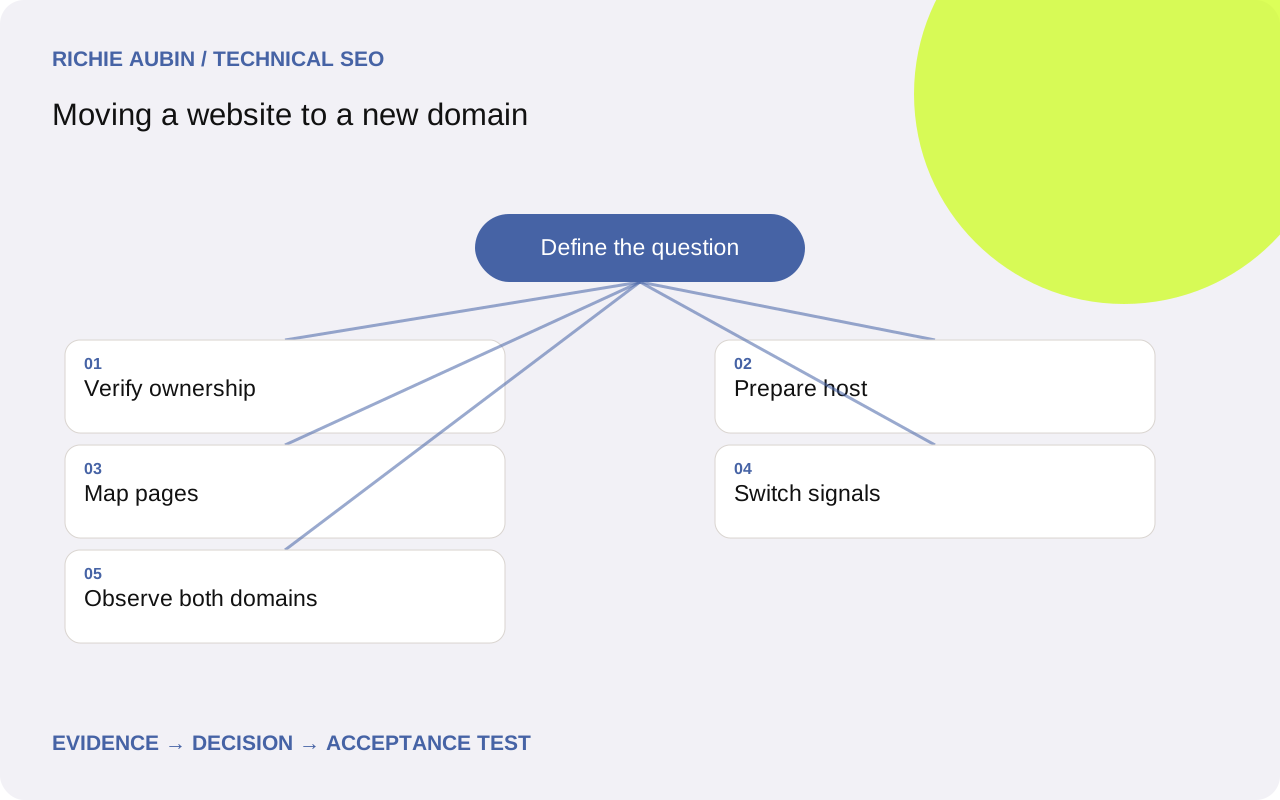
Decide what the domain move includes
Separate the business identity change from changes that happen to share its deadline. A new domain does not require new paths, rewritten content or a different navigation system. Retaining those elements makes comparisons easier. If the project also replaces the CMS, record that as an additional dependency with its own content and rendering checks.
Inventory all public hosts, including www, bare-domain and language subdomains. Determine which move, remain or retire. Do not assume a single top-level redirect covers every service. Support portals, static assets, downloads and payment callbacks may use different infrastructure and need separate owners.
Use a change register to record old host, new host, path policy, content owner and deployment owner. Mark mail, APIs and third-party integrations as functional dependencies even where they sit outside search. A successful website move can still disrupt the organisation if a forgotten integration depends on the old hostname.
Secure access and preserve the old domain
Confirm registrar, DNS, hosting and certificate responsibilities for both domains before scheduling launch. Ensure the old domain remains under maintained ownership and can serve redirects on its existing HTTPS names. TLS negotiation happens before an HTTPS request can receive a redirect; a certificate error can therefore stop the journey before routing rules matter.
Verify the relevant old and new Search Console properties with the account responsible for the move. Keep verification methods intact through the release. Record which hostname variants need separate attention rather than assuming that one property operation changes every subdomain.
Review the new domain's existing state in Search Console where available, including security issues and manual actions. This is a check for known problems, not a guarantee of a clean history or future performance. Confirm that the new domain is not already serving another business-critical site. Ownership on paper and operational control are different things.
Prepare a complete destination before redirecting traffic
Publish the intended content on the new infrastructure under controlled access while testing. Compare representative pages with their old equivalents: substantive text, title, language, downloads and useful links. A homepage preview is not evidence that deep pages work. Direct requests must resolve without requiring a previous visit to the new homepage.
Check new-host configuration for canonical URLs, internal links, sitemap generation, robots rules and response headers. Template settings often retain the old base URL even after navigation looks correct. Include image, document and API dependencies that the browser needs to display essential content.
Test the intended public CDN and firewall behaviour with engineering. A successful origin request does not establish that the public edge is accessible. Resolve obvious production restrictions before launch and explicitly verify the removal of preview-only authentication or noindex rules. The HTTPS guide covers certificate and resource checks that remain necessary on a new host.
Preserve page-level continuity across domains
If paths stay unchanged, a host replacement rule may describe most of the move. Validate that assumption against a source inventory rather than relying on a few familiar pages. Some old routes may already redirect, and some new paths may conflict with application routes or have been omitted from the transfer.
Where paths change, use the mapping workflow to approve each replacement. Preserve useful document and support journeys. A visitor following a link to a detailed guide should not arrive at the new homepage simply because it is the easiest destination to configure.
Make host and path changes converge on final URLs without historical detours where possible. Retain legitimate query values and handle language consistently. Test unknown addresses too: a move should not make every invented source appear to have a valid destination. The evidence should distinguish unchanged pages, reviewed mergers and deliberate removals.
Use Change of Address after the move is functioning
Google's Change of Address tool supports qualifying domain or subdomain moves and is used after the site has moved and redirects are in place. It is not the mechanism for HTTP-to-HTTPS, same-domain path changes or switching between www and non-www. Its checks supplement the implementation; they do not create page-level routing.
Confirm current ownership and property requirements in the tool, then cover the relevant verified old variants as instructed. Do not assume a request for one source host automatically handles all its subdomains. Keep a record of the submission and any warnings so later reviewers know what was actually done.
Submit the new sitemap and replace references you control with new URLs. Update profile links and important referral destinations through their owners. The essential test remains a real request from an old deep address to the correct new page. A successful administrative submission does not prove every destination is available or guarantee indexing.
Illustrative example: a rebrand with a separate help host
Illustrative example: a software company moves its marketing site from an old brand domain to a new brand domain. The main site contains product pages, while a separate help subdomain contains setup articles. A homepage redirect and a single Search Console submission would not demonstrate that help links survive.
The inventory gives the marketing host and help host separate owners. Marketing paths remain unchanged. Help articles move to a support section with individually reviewed destinations because their paths differ. Certificate tests cover the old help hostname as well as the main domain, and browser tests follow links embedded in existing setup emails.
Acceptance requires a representative old help article to reach its matching guide with the original setup steps intact. A wrong-language article fails even if it loads successfully. These checks illustrate planning for multiple hosts; they do not describe a real client migration, traffic recovery or measured signal transfer.
Monitor paired pages and competing explanations
Keep old-to-new page pairs as the unit of investigation. Capture baseline search clicks and impressions by meaningful groups, alongside analytics and server availability. After launch, look for progress on the new domain without treating the expected decline on the old domain alone as evidence of failure.
- Verify old-source redirects and new-destination responses repeatedly.
- Inspect representative destination canonicals and indexability.
- Track access failures by host, template and response category.
- Check important transactions independently of organic reporting.
- Annotate deployment changes and reporting interruptions.
When performance changes, compare hypotheses. A new analytics property can create a reporting break. Missing template detail can change relevance. Failed redirects can strand specific source groups. Use evidence to distinguish them rather than attributing every movement to the new domain. The monitoring guide explains how to reconcile these signals without simply adding overlapping report totals.
Define acceptance and avoid reflexive reversal
Developer acceptance should cover every approved source family, relevant host and protocol variant, and critical destination individually. Require correct final content, stable canonical references, direct internal links and honest missing-page responses. Include certificates and public edge access in sign-off. Keep fixtures for these cases after the launch team disbands.
Search processing can vary across pages, and report updates are not instant. That limits what a short observation period can prove. A clean live test establishes current delivery, not universal indexing. A weak first-day graph is therefore insufficient grounds to reverse the domain move.
Agree rollback for genuine operational failure before launch. Reversal needs coordinated content, routing and administrative changes; redirecting the new domain back while old rules still point forward can create loops. Cached permanent responses and new external links complicate recovery. Prefer a bounded forward repair when the fault is understood. Keep the old domain maintained as a durable entry point under the broader migration operating plan.
Frequently asked questions
Does changing domain mean we should also shorten all URLs?
No. Retain paths where they work unless there is a separate reason to change them. Combining a new domain with a full restructure increases mapping work and makes losses harder to diagnose. If both are necessary, document and test the path changes individually rather than treating them as cosmetic.
Should the old website stay live as a duplicate?
The old addresses should normally deliver the approved redirects for moved content rather than a second independently maintained copy. Keep the infrastructure needed to receive those requests. A duplicate public site can leave visitors on obsolete information and complicate the intended handover.
Can Change of Address replace redirects?
No. It informs Google about a qualifying move after implementation. Visitors, bookmarks and external links still need working page-level routes. Validate those routes independently and follow the tool requirements for the relevant properties and variants.
When can we stop renewing the old domain?
Treat renewal as an ongoing continuity decision rather than a launch cost to cancel immediately. Old links and bookmarks can remain useful for years. Losing the domain also removes control over their destination. Review actual dependencies and ownership risk before retiring a maintained redirect service.
How can we tell a reporting change from a search loss?
Compare Search Console patterns with live request evidence and analytics implementation checks. If recorded sessions fall while search clicks and successful arrivals remain consistent, investigate tracking and consent. If specific page pairs fail routing or lose content, that provides a concrete migration fault to repair.